Successful Blog

  • Home
  • Community
  • About
  • Author Guidelines
  • Liz’s Book
  • Stay Tuned

Nurturing Business Relationships: Interview with Tej Kohli

May 27, 2016 by Jessy Troy

Business relationship building is art, one you cannot really do without if you are interested in career building, building an effective team, managing your brand, and discovering new growth opportunities for your business.

Blogging is all about relation building too: In fact, it’s more about being social than about creating content, so mastering digital business relationship building is the key to blogging success.

Tej KohliI was lucky enough to catch up with one of the best-known global entrepreneurs Tej Kohli, Chairman of Kohli Ventures, and ask him a few questions about relationship building. I have also added my own tips on how to apply this advice to blogging and the digital world:

Why are good relationships important in business?

Without a good relationship between trading partners, the business will not prosper.

Just like a strong  marriage , integrity and expectations of the other party in business are key to a successful and long lasting relationship.

How to develop business relationships? What are the basic principles?

In business, it is important to build up a relationship over time and not  jumping straight into the deep end.

Basic principles are to agree on each others expectations and a code of conduct and communication between the parties. Be clear on the financial terms between the parties from the very start, to avoid confusion later.

This is very important in the digital world too: Relationship building should not be measured in numbers and months. It’s a long-term process where, obviously, the rich gets richer. It’s hard to start but it’s well worth it!

How and why to develop global business relationships?

Any start up businesses always has the potential to grow globally whatever the product. If it is run with financial discipline, entrepreneurial flair and vision and a strong work ethic is how to make it globally.

Global growth can give the business a stronger back bone in terms of negotiation power.

Should the team be involved in developing off-company business relationships. If so, how?

For sure, as these relationships lead to creating new business contacts.

The best way of building a strong business is through referrals coming from satisfied customers and partnerships.

There’s has been a lot of debate about intra-company social media policies and I am always saying: If you want your employees or team members to be your company ambassadors, allow them to be on social media!

How can Internet technologies improve business relationships?

With dematrialisation, demorcitaisation and digitilisation we are now able to reach the masses with a click of a button.

Social media, business reputation profiling and marketing with a targeted approach to selected audiences, can all be done through the Internet – it saves time, money and manpower.

We live in the exciting times: We can build global business and international partnerships and events from home. Not leveraging those opportunities means missing out! I want to thank Mr Kohli for setting such a great role model for us all. I hope you are inspired!

Image source

Filed Under: Marketing Tagged With: blogger-relationships, business-relationships

10 Mac Apps for Blogging Productivity

April 6, 2016 by Jessy Troy

mac-apps-bloggingRunning a blog is so much more work than people assume. The assumption is the bigger it gets, the more work is involved. But that isn’t close to being true; building it to a point where people are regularly visiting is just as much work as maintaining it once it gets there.
For some people it becomes a full time job, and one that doesn’t pay nearly enough for the first couple of years.

You have to squeeze everything you can out of every single moment spent working on your blog. Not just on the content, but general management such as social, reader engagement, research, outreach, SEO, marketing, hosting issues, backups, and more. For Mac users, these tools can help make the process of running a blog infinitely easier to handle, and save a lot of time.

WriteRoom

WriteRoom

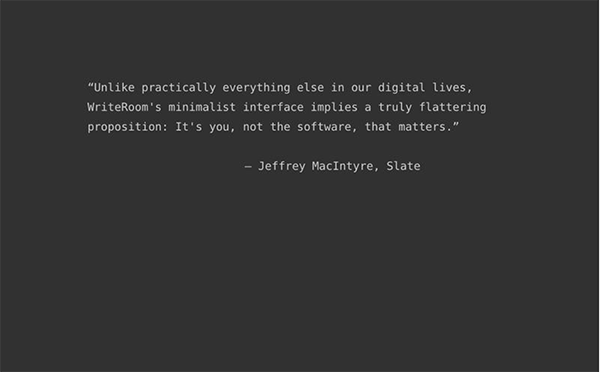
Writing is easy. Writing without distractions if you are like me is next to impossible without help. There is so much waiting just in a browser window to pull our attention away, and before long a post that should have taken thirty minutes is verging on ninety. WriteRoom creates a fullscreen writing page that is sparse, simple, and made to force your brain to behave.

It has a black screen with green text to reduce eye strain, and nothing else that might cause you to look away from the words you are writing. It costs $9.99, but it practically pays for itself with the time you save. And time is money, as they say.

First Site Guide lists more writing tools you can find handy! That list is pretty impressive!

Writer

Want something a bit more thorough? Writer is another MacOS application that is also compatible with Apple and Android mobile and tablet devices.

It creates a clean, white page with black text, and has additional features like Night Mode and an integrated document library. It costs more as a consequence, at $19.99. But if you want Swipe Preview controls and device syncing on their own cloud, it is a great deal.

Blogo

Blogo

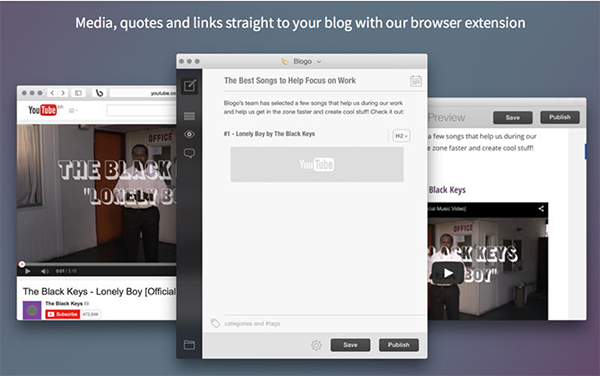
If you have WordPress and want to knock a few bucks off the price, Blogo is $14.99 and has many of the same features. You can moderate, reply to and delete comments, create shortcuts, and manage multiple blogs at once.

Plus the post scheduling, and image resizing/editing that could give it a real edge over other apps. It might still be a little too basic for some, but if you want a clean blogging platform that has plenty of functions, this should fit the bill nicely.

Todoist

Todoist is the tool I use most in both my personal and professional life. At first sight it is a basic to do list. But if you look deeper, it is a whole organizational system. Create projects and build task lists, giving them deadline, recurring dates, and priority. Set reminders, and sync across all devices.

I have a project set for content ideas, and build my editorial calendar right in the app so I can keep it organized with all other tasks. It is a real lifesaver, and the premium cost annually is peanuts.

SnagIt

SnagIt

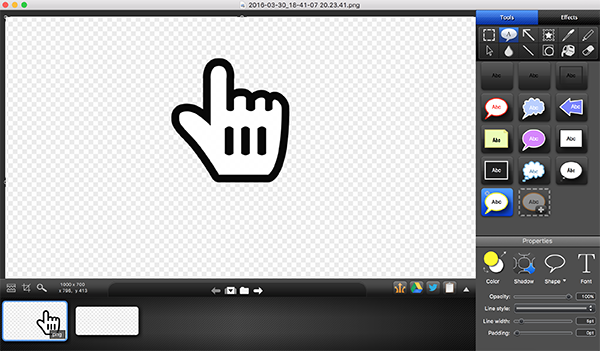
This is one of my new favorite tools, even if it comes with a bit more of a price tag than I am used to paying. SnagIt is a screenshot and screencast capture app that lets you effortlessly create visual content to share with your readers. I make screencaps, infographics and tutorial videos, which can be edited and enhanced right there in the app.

It costs $49.95, with additional S&H if you choose to get a boxed copy as well as the digital download. But it is more advanced than free to cheaper screencapture tools, and more appropriate if you want to keep content at a pro level.

You can backup all your screenshots and screencasts either locally or in the cloud. The latter option is recommended by me personally because I am a fan of storing all my work in the cloud and access the database from my business trips, home, work, etc. You can learn more about cloud storage here.

Canva

Infographics are amazing, and they to this day provide me with the greatest traffic and social engagement of any other form of visual content I use. But man are they time consuming to create! I can spend literally weeks trying to create a thorough and high quality infographic with a lot of information, especially when presenting case studies alongside statistics.

At least it used to take that long, until I gave in and tried Canva. Originally I had thought all generator tools were pointless because they made cookie cutter content that would be less effective. But I was wrong; Canva is a fantastic tool that makes infographic creation faster and the results even higher quality.

You can even use it to create posters to decorate your workplace for more motivation and inspiration.

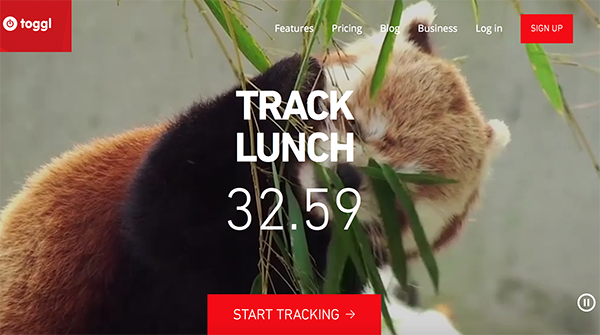
Toggl

Toggl

Finally, the most important way to remain productive is to properly manage your time. That means managing your breaks, as well. Toggl is a super simple time tracking tool that works on the Pomodoro technique.

You work for a stretch, then take a break. Work for another stretch, then take another break. It will make you more productive, and keep you from burning out.

Leechblock

If you need to write in a browser but want to block distracting websites, Leechblock is a pretty good option. It provides customizable controls that let you either block sites like Facebook and YouTube during times you should be working, or blocks them after you have spent a certain amount of time there.

As a self confessed addict who can get lost down the Reddit and YouTube rabbit holes on a daily basis, this has been an important productivity tool in my own life. It is available as a Firefox addon

StayFocusd

Similar to Leechblock, this is an extension for Chrome that works in much the same way. What makes it handy on its own is the ability to set the “Nuclear Option”. This will block all sites you have listed as restricted for a period of one or more hours, depending on your preferences.

You can also set it to not allow you to switch it off until the end of the block time, by not letting you access the extensions menu in your settings.

Desk PM

Desk PM won the Best App of 2014 award, and for good reason. You can write from the first note taking process to the publishing and monitoring step right from the app, with compatibility with several blogging platforms.

They have basic tools like word and character count that you would expect from any word processing tool, but with greater features such as post scheduling. At $19.99 it is a really impressive blogging tool. Especially given the high price tag for platforms dealing with high volume blogs.

Any tools to add to the list? Let us know in the comments!

Filed Under: Blogging Tips, Business Life, management

  • « Previous Page
  • 1
  • …
  • 13
  • 14
  • 15

Recently Updated Posts

Is Your Brand Fan Friendly?

How to Improve Your Freelancing Productivity

How to Leverage Live Streaming for Content Marketing

10 Key Customer Experience Design Factors to Consider

How to Use a Lead Generation Item on Facebook

How to Become a Better Storyteller


From Liz Strauss & GeniusShared Press

  • What IS an SOB?!
  • SOB A-Z Directory
  • Letting Liz Be

© 2025 ME Strauss & GeniusShared