Create an Image with Textorizer
Great Find: Textorizer
Permalink: http://lapin-bleu.net/software/textorizer/
Target Audience: Anyone with a photo!
Content:
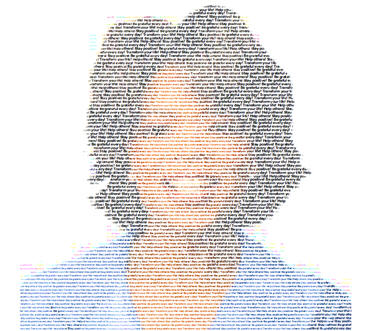
Here’s a fun tool – actually two tools. They each produce a different look. For this sample I used Textorizer 2. Just locate a photo that you want to “textorize,” select the text to use, and the program creates a textorized image. That’s right – the image is created out of the text you submit.
What could be easier? There are a few parameters you can select to tweak the results. Be sure to choose an image with good contrast.
This is the original photo and the textorized image. I used an image of Oprah and some of her favorite words, “Be grateful every day! Transform your life! Help others! Stay positive!” I think it turned out well. What do you think?

This tool is on my favorites list because:
- It’s easy-to-use
- It’s fun
- It’s free
Check out the tool yourself. How can you use a textorized image?
See you next time!
–Sandy, Purple Wren
Related
Great Find: PictureTrail
Sandy’s Great Graphic Find: CoolText
Sandy’s Great Graphic Find: Pixel Ruler
