Successful Blog

  • Home
  • Community
  • About
  • Author Guidelines
  • Liz’s Book
  • Stay Tuned

Three Must Read Tips for New Small Business Owners (No Fluff)

September 10, 2020 by Jessy Troy

So you are planning to start your own business or go solo? I have to warn you, it’s not for everyone, but most people who get a taste of it, love it and never go back to working 9-5.

And, with more and more people opting to freelance and companies becoming more open to the idea of working with freelancers, we are seeing a shift in how work gets done.

Whether you are just getting your feet wet out of curiosity or are trying to make some extra cash or because you are in between jobs, here are three tips about the reality new business owners can expect:

Start Part Time

Owning a business can be scary. There is no guarantee, and you get out of it what you are willing to put in. While it’s tempting to jump in head first, a better approach is to start freelancing part time on the side while keeping your current job.

Therefore, you will have safety net just in case things don’t work out. You’ll also still have a regular income while you are figuring out freelancing and trying to etch out your niche.

The good news is, now is the best time to get the ball rolling! As it happens, Covid and its lock-downs have done one good thing: It has caused the demand for digital businesses to skyrocket:

The whopping 50% increase in internet use in some areas of the world is so significant that many have speculated about the possibility of the increased demand, breaking the internet (don’t worry, experts are saying that we are fine – for now).

The forced self-isolation to prevent the spread of coronavirus has provoked rapid changes in consumer behaviours. The most obvious result of this is the increase in online content and consumption.

Source: Megaphone Marketing

Treat Freelancing Like a Business (Because It Is)

Just because you are a great graphic designer doesn’t mean you are a good business person.

Many new freelancers overlook the importance of treating freelancing like a business. Freelancing is both a skill and a business, and you need both to be successful.

Set up an invoicing routine

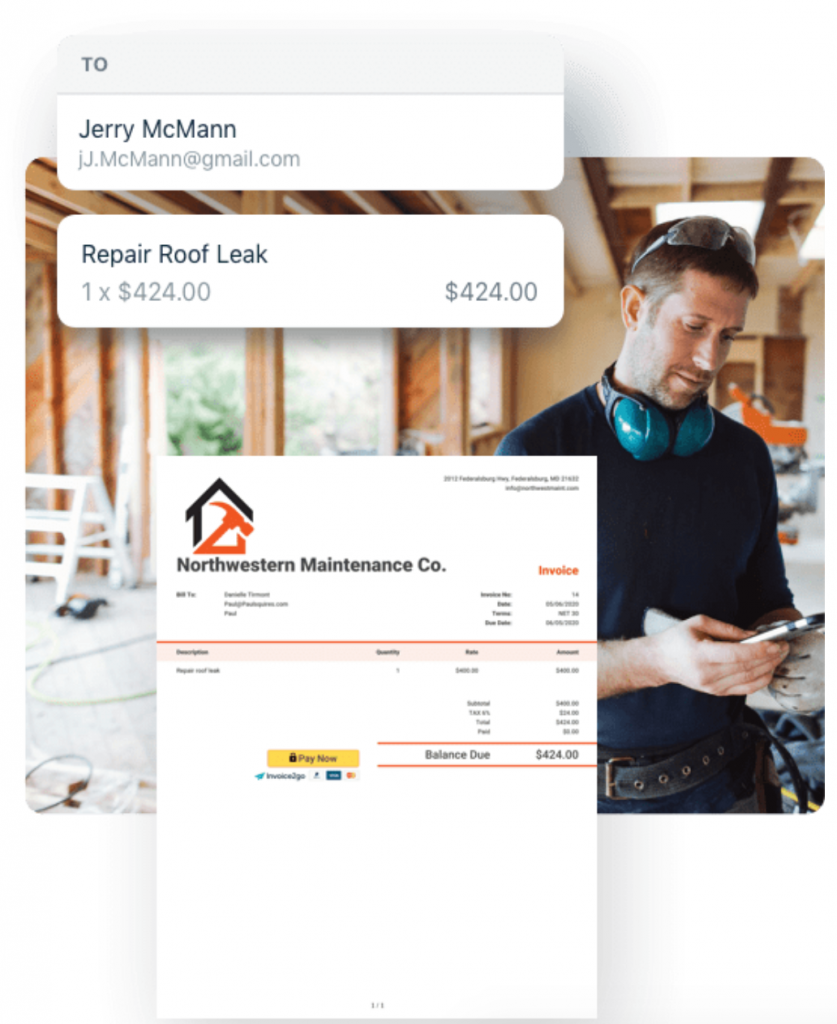
One of the biggest ways people not experienced in business fail is by failing to ensure payments are delivered on time. Make sure you have a mobile invoice system like Invoice2Go that allows customers to pay with both credit and debit cards.
Create a better phone system

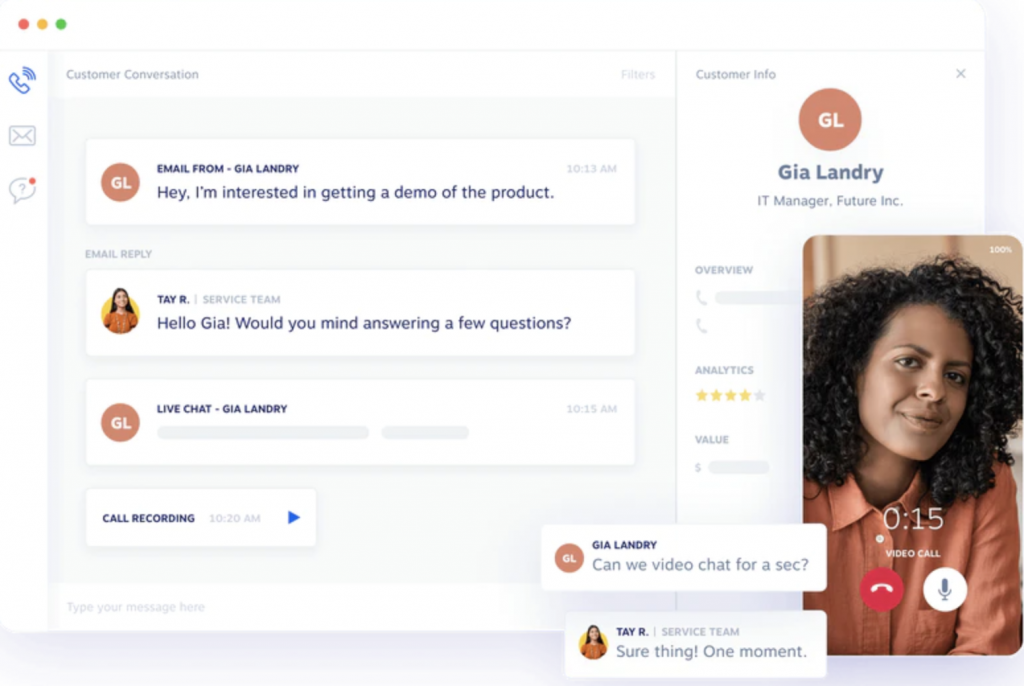
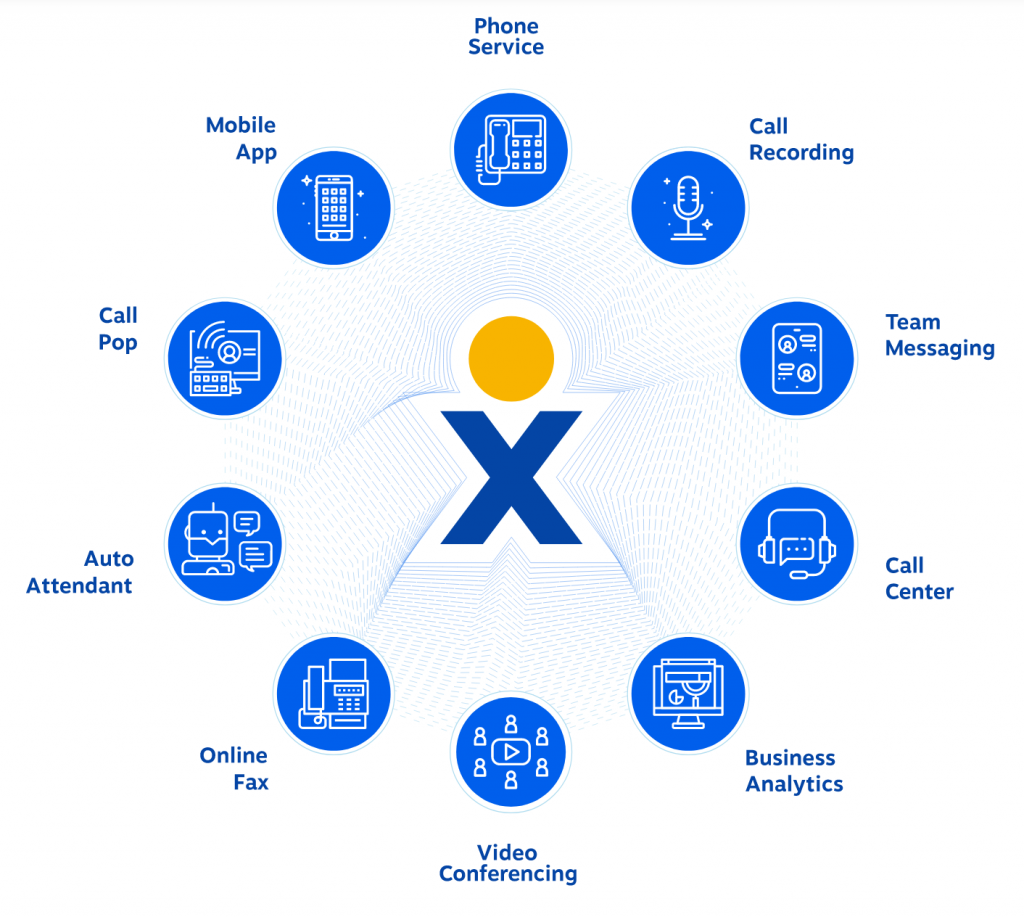
If your business involves a lot of communication (with clients, partners, remote employees, etc.), set up a better phone system early on. It will save lots of money and help productivity. Here’s a good virtual phone system for small businesses to consider.
Phone system for small businesses

Keep an eye on your ROI

It may sound obvious but too many businesses don’t have a good system for tracking and analyzing ROI. For digital businesses, Finteza is a comprehensive web analytics platform that will help you analyze and predict your ROI:
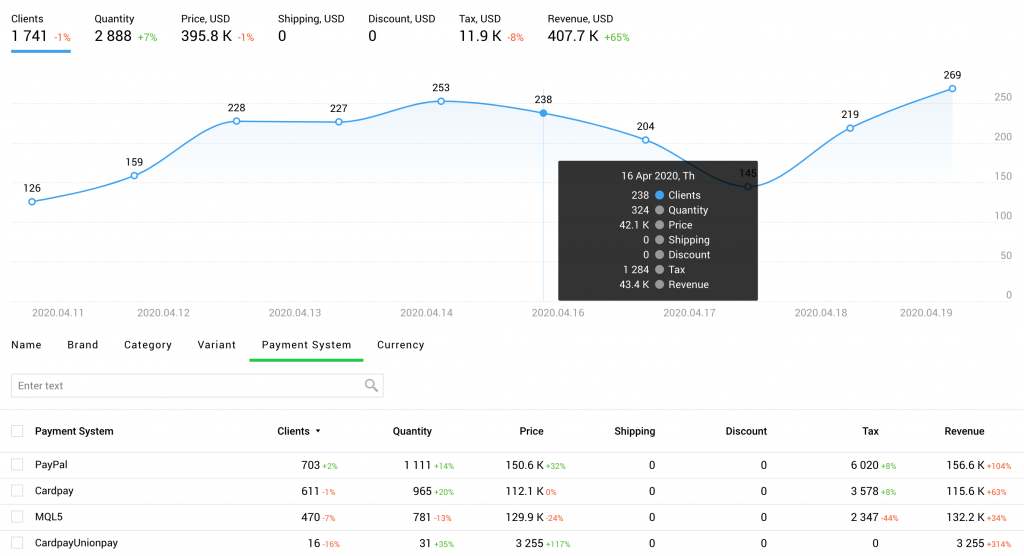
Web analytics

It’s a Battle of Attrition

Most freelancers fail because they give up too soon. Building a strong client base and having success in your industry takes time. It takes time to build the necessary connections, develop a portfolio of work, and hone in on your area of specialization.

If you can battle through the lean times at the beginning, you’ll be able to reap the rewards once you get your footing. This is where starting part-time definitely helps!

If your business is still slow, here are a few resources to help:

  • Here are a few great portfolio website builders for you to start working on branding
  • Here are a few great ways to set up your home office to maximize your productivity
  • Here’s an easy promo video maker for you to start generating leads through engaging ads
  • Finally, here’s a great way to create content for your website the way it really impacts your bottom line.

Are you up for the challenge?

Image by mohamed Hassan from Pixabay

Filed Under: Business Life

Five Reputation Management Tools to Use

September 9, 2020 by Jessy Troy

Nowadays there’s a lot of personal information publicly available on the web. We all have an “online persona” which is directly related to the way people see and judge us as individuals.

Unfortunately managing your online reputation is everything but an easy task.

There are many social media channels where people can spread unbiased opinions about others, tag inappropriate photos, and otherwise mess with your reputation. As a blogger, your name stands for the quality and authenticity of your posts, apart from your personal and professional interest in having a “clean and positive” online reputation.

As Google says: “Your online identity is determined not only by what you post, but also by what others post about you – whether it is a mention in a blog post, a photo tag or a reply to a public status update.”

If you want to influence the way people see you online, it’s important to understand that there are two basic techniques for managing your online reputation.

  • Constantly monitor what people are saying about you and respond instantly when necessary.
  • Actively develop your reputation by creating “positive” content. Create a hub such as a personal landing page where people can easily find everything about you in a simple and compact format. Hiring a solid digital performance agency would be helpful here.

With those two techniques in mind, here are six simple, yet effective tools that might help you along the way to monitor what people are saying about you as well as actively develop and influence your online reputation.

1. Google Alerts

Google Alerts let you get notified whenever your name or email address gets mentioned publicly on the web. To use Me On The Web, just log into your Google dashboard and click “Set up search alerts for your data” – it’s as easy as that!

It is also a good idea to use a SERP tracker to monitor your branded search results.

2. SocialMention

As Inform Buki rightfully states, social media is the branding powerhouse, so it is only natural that you need to monitor your brand on social media.

Another brilliant tool to track your name across the web is Social Mention. It’s a social media search engine that searches blogs, comments, bookmarks, events, news, videos and micro-blogging services. You can select the sources you want to search and employ email alerts or a personalized RSS feed to stay up-to-date.

But don’t take it from me. Here’s their official description.

“SocialMention allows you to easily track and measure what people are saying about you across the web’s social media landscape in real-time. Social Mention monitors 100+ social media properties directly including: Twitter, Facebook, FriendFeed, YouTube, Digg, Google etc.”

3. WiseStamp

Easily create a HTML email signature and automatically add it to your outgoing email with WiseStamp. Email signatures are effective tools when it comes to building your personal brand and an ideal starting point for influencing your online reputation with anyone you contact via email.

Having a professional email signature is very important – it should at least contain your full name, basic contact info, and a link to your main website or personal landing page. To see it in action, here’s a detailed tutorial in how to add an email signature in Outlook.

Cloud PBX is a useful tool to set up as well as it will let you be more in control of your contacts.

4. Linktree

Take advantage of a clean and simple app for building awesome personal landing pages in minutes with Linktree.

Linktree sites are free, customizable, and help you manage your information all in one place like your bio, social networks links, your blog, and contact details. Once created, you can provide one simple link where people can find out everything about you and follow you around the web.

5. Knowem

Knowem helps you to secure your personal name or username on over 590 social media services and websites.

You’ll hardly use any of the services you sign up to via Knowem, but assuring that your name or pseudonym will not be related to any undesirable content on those websites is worth the effort.

I hope these tools will definitely help you to maintain your online reputation. But if you would like to grow your online reputation then here is a great resource with some proven social media marketing strategies that will help you to grow your online reputation.

Are there any reputation management tools I have missed? Please share!

Image by mohamed Hassan from Pixabay

Filed Under: Business Life

How and Why To Host Webinars for Lead Generation

July 19, 2020 by Jessy Troy

Webinars have proven to be a powerful marketing strategy, therefore, hosting your own event will undoubtedly be a smart marketing strategy for your business or brand.
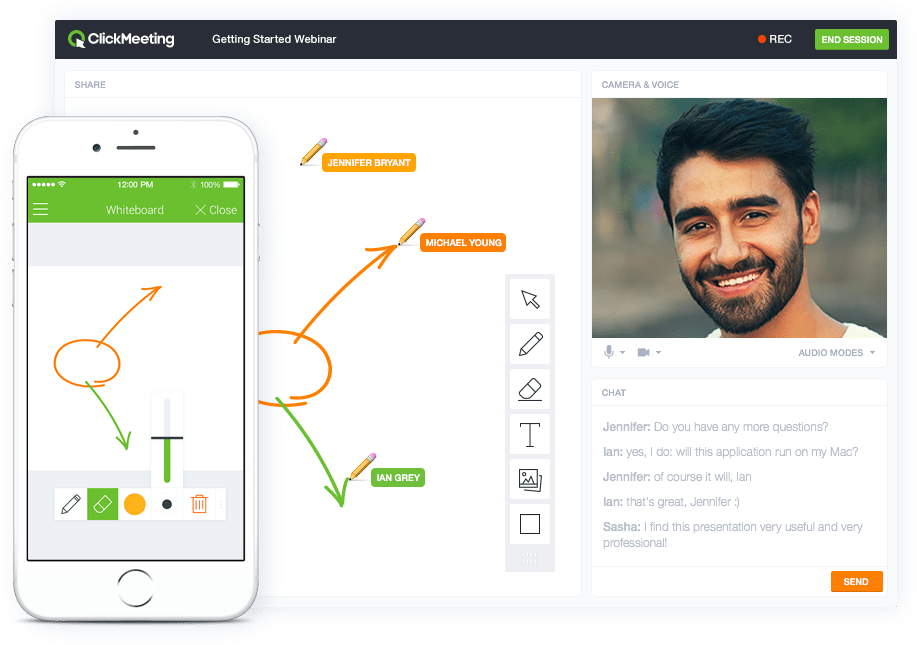
Now if you’re considering setting up your webinar, here are 9 ways it’ll help you attract new clients and grow your business.

Webinar marketing offers multiple marketing opportunities.

Webinars help develop trust and authority

Hosting a webinar doesn’t only let you showcase your products and services, but your expertise, skills, abilities and industry knowledge as well. And what about the human element?

Webinars allow you to put a real face to your business. Your audiences can identify with your face and become emotionally invested in your business.

Webinars are the most effective lead generation tools out there.

Hosting webinars create business relationships

“Business is not just doing deals; business is having great products, doing great engineering, and providing tremendous service to customers. Finally, business is a cobweb of human relationships.”

Ross Perot via bqotd.com

Think about it, how much do you think prospects can know you in a 30 second commercial? A little, right? Engaging your prospects via webinars lets your prospects to know you on a deeper level.

After all, people only do business with people, not companies. With a webinar, your attendees have the chance to know your person, admire you and trust you from the content you share.

Understand your audience more via interactive webinars

With the question and answer segment of an interactive webinar, you get to know your target audience, their challenges, expectations, and needs.

And with that, you are able to understand what motivates these audiences and create tailor-made products and services that match these needs.

Create brand awareness

Hosting webinars let you easily promote your business or brand – especially when you’re consistently feeding your audience with topnotch content and not simply handling it as another sales pitch presentation.

And when you also factor the nonexistent additional overhead, promoting your brand via webinars is incredibly cost-effective. With very little or no financial outlay, you can skyrocket the outreach of your nosiness.

Hosting webinars is affordable

Conventional seminars, meetings, and even conferences are no doubt expensive to set up. Interestingly, you can drastically reduce this high costs with webinars, especially with the wide variety of affordable webinar software solutions out there.

All that’s needed is a broadband connection, webcam, and microphone.

Webinars can be re-purposed

You might have only held your webinar – but that’s not the end of it. The content can be repurposed to offer the same value to those who couldn’t attend the webinar.

You can convert your presentation into an eBook or series of blog post. This lets you share your webinar content in other engaging ways.

Webinars can be recorded

When you re-purpose your content, your audience is able to relive your content and better understand your content as much as possible.

Webinars, unlike traditional conferences, are extremely easy and cost effective to record.

Increase your revenue via webinars

If you an audience base that’s big enough to monetize, you can simple set up a paid webinar event.

In so far your webinar is guaranteed to offer genuine value to your customers, your customers wouldn’t mind parting with a few bucks. And with a relatively unlimited capacity for attendees, you can easily generate an added revenue stream via webinars.

Webinars let you build up your list and generate quality leads

With the sign-up forms for your webinar, you can collect lead information such as email, addresses and job titles. Even better, the information and education that you offer in your webinar can be used to inform your audiences about your products and services – thereby creating a strategic sales lead in the process.

The benefits highlighted in this piece reflects the power of hosting your webinar. If you’re looking to boost your revenue, create cordial relationships with clients, minimize your costs and establish your credibility, then its time you begin to hold that webinar.

5 Ways to Better Do Webinar Lead Gen

  • Show the registrant numbers: social proof as a demonstration of the herd mentality is one thing that gets talked about a lot. “Join the 10,000 people who have registered for this webinar.” Really, sign me up. Now that’s how it works.
  • Urgency: tell people to hurry up. Setting up a maximum number of available “virtual seats” lets people be more inclined to sign up quickly because they don’t want to miss out. Indeed, nobody wants to be left out in something interesting.
  • Show what’s next: make sure that your website has a calendar showcasing your upcoming webinars. This can get sign ups in advance which you can then market to on the lead up to the main event.
  • Share free content: one exemplary way to convert your leads is to share valuable free materials. Practically, you can share eBooks with the people who have registered for your event. This way, you can facilitate easy conversion of your leads.
  • Follow up: after a successful event, send email to your attendees with a recording of the event. Also, include links to other closely related free content to the webinar they just watched. Trust me; they’ll love it.

QUESTION: What’s been your most significant challenge in hosting your own webinars? Do share with me. I’ll like to hear from you.

Featured image source: Pixabay

Filed Under: Blog Basics, Marketing

How Businesses Use Social Media Marketing

May 14, 2020 by Jessy Troy

Many businesses hear about the advantages of social media in terms of marketing their products or services, but some forget to look at other major benefits of social media beyond finding leads or making a sale.

Here are eight ways that businesses can use social media to learn more about themselves and their industry as well as get more involved with their clients and communities interested in what they have to offer.

1. Monitor Conversation About Themselves

There are many free ways to monitor what people are saying about your company through social media, including the following:

Google Alerts

Google Alerts will send you a daily digest email anytime your search terms come up in blogs, news, or other websites.

Social Mention

Social Mention monitors 100+ social media properties directly including: Twitter, Facebook, FriendFeed, YouTube, Digg, Google etc. You can have your mentions emailed to you daily.

Twitter Search

If you want to know real time what people are saying, you can setup a Twitter search in HootSuite, Tweetdeck, or just keep a RSS feed in your feed reader using Twitter search results. Include searches for your company, business owner, or unique product name.

Further reading: Set Up an Online Reputation Management Strategy That Wins You More Sales

A solid social media service could help you get the most of reputation management efforts.

2. Keep Up to Date on Their Industry

Along with keeping up with what is being said about your brand, as anyone with a business administration degree would tell you, you should also keep up to date on current events and news that affects your industry as a whole.

While there have been good company reactions to industry issues, such as pet food brands that assured their customers that their food was tested and 100% safe during the recalls and Toyota continuing to address their recalls assuring customers they are working to resolve the problems, I have seen some other fails where there was obviously no attention by the companies given to current events such as:

  • Auto warranty companies continuing their usual advertising while stories of auto warranty scams were on the rise.
  • A hotel chain in Hawaii sending out “last minute deals” about an hour before the tsunami was supposed to hit the islands.

If you’re keeping up with how the public feels about your industry, you can reformulate your next announcements and advertising to boost the confidence in your company even in the midst of a negative wave. Facebook advertising is particularly effective for that.

In the above examples:

  • The auto warranty companies could add facts to their advertisements which would prove their authenticity above the scammers so people could trust them.
  • The hotel chain could have simply sent out updates on the conditions and reassure the public once the threat was over that it was safe enough to take advantage of their special rates.

3. Give Great Customer Service

One great way to use social media is for customer service. For example, if you have a Facebook Page setup, your customers might ask specific product questions.

Answering them right on the page not only gives them the info they want right away, but shows other fans / potential clients that you are a readily available to help, as well as provide an answer to a question that other clients might want to ask.

You can also encourage phone calls from your social media channels and set up your small business phone service to turn all those calls into the leads!

4. Provide Emergency Updates

Lately, the way to find out if something is not working is to make a quick search on Twitter. The last time I couldn’t get into my Gmail, I went straight over to Twitter to see if others were having the same problem or if it was just me – it was the former, so I knew there wasn’t an account issue.

Customer service is never more important than during times of crisis.

Since many people now turn to Twitter to voice their complaints and concerns, those that respond through the same media show both their followers and others who are watching the events unfold that they are interested in helping their followers quickly. It helps add a positive light to a bad situation.

5. Gain Customer Feedback and Opinion

Social media can be a great research tool. If your company has unveiled a new product or service, maybe your customers will be talking about what they think about it in real time.

I’m sure that Coca-Cola monitors any comments on their latest drinks to see if people are enjoying it or hating it, which affects whether they will continue to produce a specific flavor or try out a new one. You can also query your followers to ask them their opinion on a future product to get their insight before it even goes into development so you can create something that you know others will be interested in.

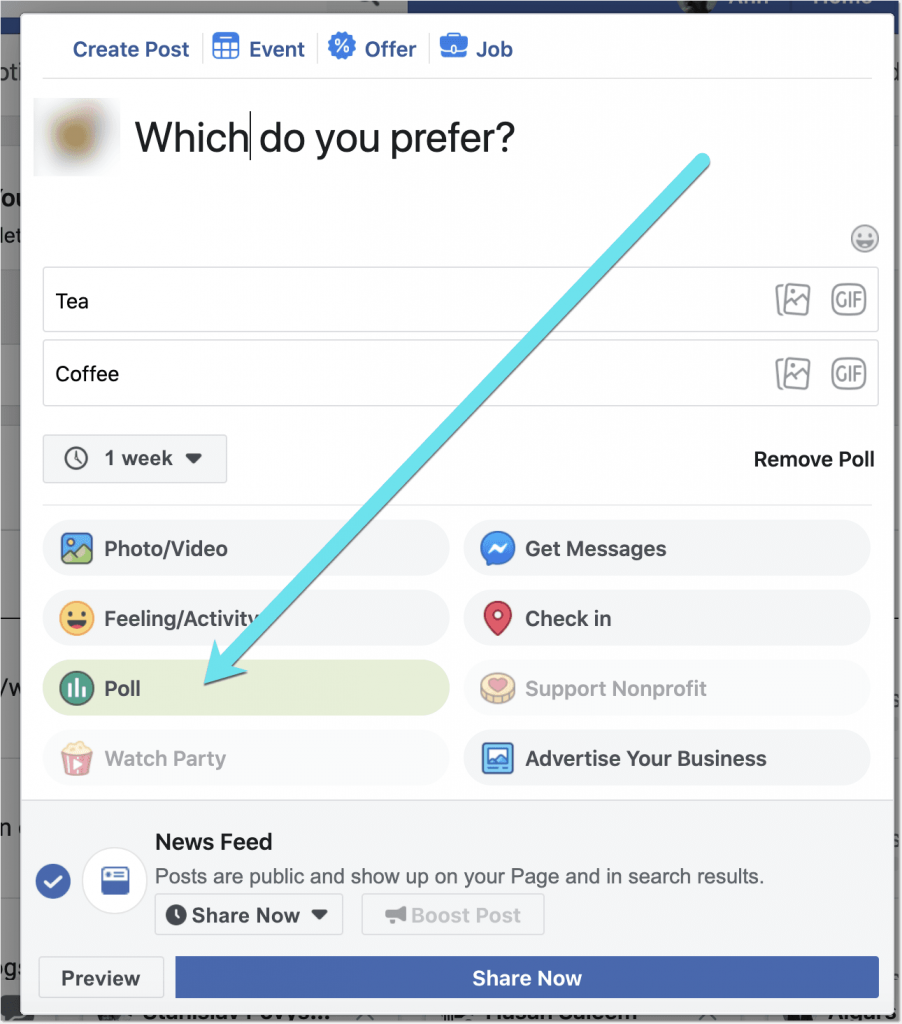
It is also a good idea to create polls on Facebook regularly to gain insight into your audience.

6. Move Positive Information to the Top

Reputation management via social media can be a great way to boost positive information about your business to the top of search results in an attempt to get negative results off of the list.

So if your company had a negative review placed on sites such as Rip Off Report or individual blogs, the best way to counter it is to have your company website, blog, Twitter, LinkedIn, and other social profiles ranking higher than that bad entry. It only takes ten strong, positive items to bump that bad one off of the first page.

7. Drive Traffic to Their Website

Social media can certainly help boost the traffic going to your website in a variety of ways. If you have a regularly updated corporate blog, you can post your blog articles on Twitter, Facebook, LinkedIn, and social bookmarking sites, which should help drive visitors to your post and then onward to your main site for products and services.

Also, you can monitor people talking about the products and services you offer and respond to them with your link if it helps answer their questions. Just recently, I mentioned migraines, and someone sent me an @mention with a link to learn more about natural homeopathic migraine remedies.

Social media is perfect for launching a new site as well as promoting an established one.

You just have to make sure that what you are sending will be absolutely helpful to the person you are replying to, and not look too much like a blatant advertisement (ie. maybe send a blog post link instead of a link to a product page unless some specifically says “I want to buy ___, where can I find it.”)

8. Create a Reference Library

Social bookmarking makes it easy to create a reference library of any news / press releases / mentions of your company.

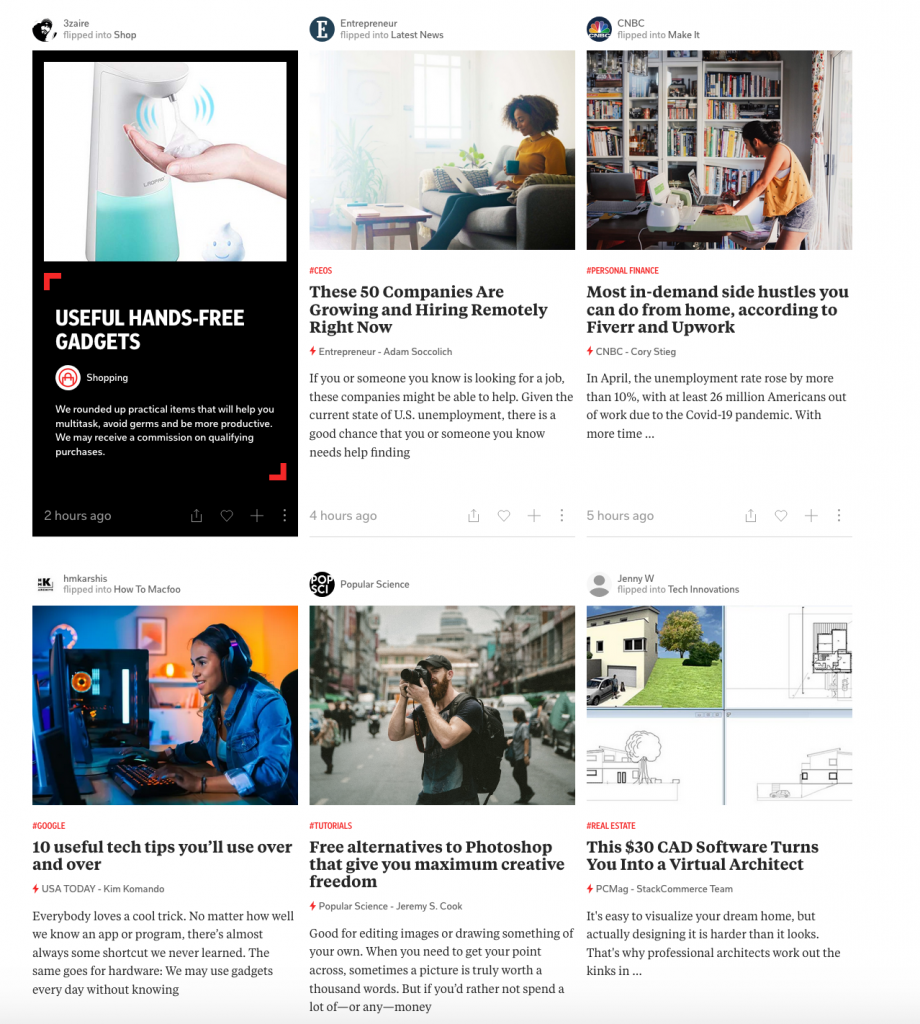
Simply use your hashtag alerts to find the places online that talk about you, and use sites like Flipboard to bookmark them. This helps you keep track of all the talk about your company, as well as boost the article by giving it the bookmark.

More Tips on Social Media for Business

Looking for more ideas on how to use social networking for business? Check out this post on business social networking by a blogger whose focus is on helping small businesses use online marketing more efficiently and effectively.

Do you have a business that you use social media as an avenue to connect with clients? Or do you know of a business that does a great job using social media? Let us know in the comments!

Filed Under: Uncategorized

3 Elements to Sky Rocket Your Customer Experience Mapping Success

January 13, 2020 by Jessy Troy

customer experience mapping successCEM (short for customer experience mapping) has been a popular topic for well over 6 years for big companies interested in understanding a customer’s “relationship” with their services and products. However, small to medium companies have just started to notice the importance of having this incorporated into your business process.

According to Zeemo,

An engaging user experience is ultimately the most important aspect of your website, as your customers can and will leave your site if it doesn’t meet their standards.

This is why mapping your customer experience is so important.

Not to mention startups in the “app zone”, whose breakthrough relies mostly on how early-stage users interact and feel about the product/service they are testing or using. Today, we’re going to take note on 3 elements that can be added to the mix when creating a customer experience map.

The Must Have Elements

An experience map is a detailed visualization of your customer’s journey, the opportunities that rise for both your business and products/services to meet customer needs not only on the spot, but also in the long run, and the guiding principles behind actions and behaviors. Questions that can help you understand the processes behind a user’s action, include:

  • What are the top reasons why my customers would need my product or service?
  • What are the top benefits for using my product/service?
  • How does my product/service integrate in the moment, i.e. offering my customers an improved experience online/offline/both ways?
  • Does my product/service integrate in the bigger picture, long-term? Why/Why not? If Yes, then How?
  • What are customer behavior or mindset patterns which my product/service can cover or respond to?
  • Is my customer acting based on pre-defined principles? What are those? Can these be addressed or integrated in my product/service?
  • Is my product/service sustainable? Does it allow a connection/bridge between customer experience and customer satisfaction?

You can find more about the anatomy of a customer experience map here, along with clear examples such as Rail Europe’s CEM process. Now, if you follow the best practices of CEM, you can only get so far. Here’s how to take the entire process one step forward.

#1. Monitoring Customer Satisfaction Across All Channels

Customer satisfaction is a key player in designing products or services that solve problems, create a space for customers to enjoy and use, and trigger customer loyalty in the long run. Nowadays, your social media staff and community managers play a bigger role than in the past. Here’s why: customers are humans and there is a certain emotional link between your service or product and their needs. Sometimes, as providers, we fail to completely deliver and meet expectations. And this is human, as well. That is why as businesses, we need processes and human force to handle the failure.

An angry customer will be more understanding if, for example, someone from your staff will patiently listen to his/her worries, complaints, and offer a win-win solution, in a timely manner. Knowing the key principles behind proper damage control can save your company’s future. These are: responsiveness (speed and time), reaction, damage control, patience, protocols and explanations at hand, problem solving procedures, standard and customized processes, call to action, open door policies.

And learn from other brands’ mistakes (such as Pokemon Go’s fiasco, although they managed to recover, to some extent, according to this article).

#2. Monitoring Feedback

Nothing new here, however many businesses ignore customer feedback. Just having a good survey form on your website and a competent community manager that gathers all feedback from customers isn’t enough to gain valuable insights about your products, features, and services, and the way they impact your customers’ lives. Another idea is to use a VoIP call center solution that provides robust report allowing you to see your customers’ feedback after they called your customer support team.

You shouldn’t collect customer feedback at a superficial level.

Many customers tend to forget, or do not have the time, or simply are not used to leaving feedback and stating their mind. That is why you must always pair up with a third-party service to collect more insights, and put them to better use.

Delighted, a feedback monitoring tool, has become very popular among startups, mid-sized companies and Fortune500 brands. Among these, Uber, PeoplePerHour, Tedx, Slack, and others use it to collect instant feedback and rate their products and services. The tool sends out a message to the users, asking them to rate the brand/product/service on a scale from 1 to 10, in the email body. And then opens an additional web page where the user can explain their pick. Feedback is collected and delivered in real time to the brand’s board. Delightful!

#3. Crunching User Website Data to Understand Online Patterns

The customer experience map is strongly related to your website’s functionality and the user’s activity patterns, not just to the human, personal journey aspect. Ideally, you would want to get to know and understand your audience at a deeper level. Besides having a solid website or channel that runs on usability and responsiveness across all devices/environments, you also need access to data related to the user’s online activity prior or post usage of your product or service. It’s way easier in the case of apps, for e.g., to collect user data right from the app itself, analyze it and report findings strictly related to your product. Google offers the option to export data and stats if your app is in the Google App store.

If your products/services do not come in the form of apps, then your website becomes the first environment to facilitate the contact and interaction between them and the customer. They don’t say a website is a company’s business card, for nothing!

While data extracted from your website may fail to directly address all customer experience segments, it will help in predicting certain behaviors or trends in close relation to your service or product. Pivot tables provide a simplified way to gain first hand access to customer patterns and do not require super advanced knowledge of data analysis. If you are not familiar with PowerPivot there are plenty of online articles like this one.

Takeaways

Come what may, we live in a time where businesses need to walk the extra mile to achieve success. In the business world, there is such thing as “competition”, and the only way to win a top spot is to provide something different, better, more functional, more accurate to your customers.

This means gathering data from the inside (starting with your website user data), analyzing it, finding patterns, building your product based on those patterns to meet customers’ expectations.

Remember that feedback isn’t just “active listening”, as everyone talks about, but also input collection and implementation to meet customer satisfaction. Happy customer experience mapping!

Image source: Pixabay

Filed Under: Business Life

What to Do When Your (Personal) Social Media Content Has Been Stolen

December 20, 2019 by Jessy Troy

Social media has become the top way for brands to increase awareness of what they’re doing, from promoting new products to interacting with customers. Experts encourage entrepreneurs to regularly post high-quality content in the hopes followers will share it across their own networks.

This means spending hours developing insightful updates, linking to your own great blog posts, and sourcing images from stock photo sites.

After putting all of this work into your content creation efforts, it can be even more disturbing to find your information posted on another site. It may even be a competing business’s blog or an industry magazine. Even if the site credits you as the author of the work, using your content without compensating you for it is a violation.

“There are several situations where social media content can be stolen,” says Robert May, founding attorney at The May Firm. “Increasingly publications are using social media posts as part of their news stories, as seen here. When they get permission first, it isn’t a problem.

Unfortunately, less professional sites fail to get that permission. Sometimes a site uses an original photo or copies a blog post that has been linked on social media. In more extreme instances, a business owner may find a fake account has been set up using his own name and likeness.”

Whatever the type of content or identity theft, it’s important to act quickly to make sure the content is removed. Here are a few steps you should take if you find your social media content has been stolen.

Step One: Make Contact

Before doing anything, send a friendly email politely asking that the content be removed. Don’t use forceful language in this initial contact. Simply state the action you would like to have taken as a result of the letter. If you want the content removed, ask politely that they do so within a certain number of business days.

If you are agreeable to being compensated for your content, state the price and offer removing the content as an alternative. Hopefully the offender will remove the content and send a letter of apology for the inconvenience. If not, wait the stated number of days before taking further action. If the content was posted on a site by an employee of an organization, take your complaint further up the chain before checking into outside options.

Step Two: Check the Terms of Service

While you’re waiting, carefully review the terms of service on the social media site where your content was originally posted. Facebook allows you to report copyright infringements using this tool, while Twitter’s tool is here.

Both are products of the Digital Millennial Copyright Act (DMCA), passed in 1996 to protect copyright holders from online theft. You may also want to check into the policies of the website where the content is posted, since they’ll have their own copyright infringement notification procedures.

DMCA Takedown Notice

In addition to the tools offered on various social media sites, copyright holders can also have content taken down using a DMCA Takedown Notice. You’ll need to determine the Internet Service Provider hosting the site where the content is posted and direct your letter there.

After an investigation, you’ll often find that the content is removed without having to wait for the person who posted it to respond. DMCA charges for the service through its site, but you can craft a letter for free using the instructions provided on the National Press Photographers Association site.

Contact an Attorney

When other recourse has failed to bring action, it’s time to contact a lawyer. Although attorneys will charge an hourly fee to help with copyright infringement, often content can be removed through a cease and desist letter. Such a letter packs a heavy punch when it comes from a law office.

If for some reason that letter doesn’t achieve results, however, an attorney can go through the courts to have a cease and desist order placed on the content, which requires that it be removed.

Having your content stolen can feel like a violation. Fortunately, there are actions you can take to let offenders know that you won’t allow your photos and text to be used for free. By having tools in place to use in the event your content is stolen, you’ll be prepared to take action if it ever happens.

Image by Pavlofox from Pixabay

Filed Under: Business Life

  • « Previous Page
  • 1
  • …
  • 9
  • 10
  • 11
  • 12
  • 13
  • …
  • 15
  • Next Page »

Recently Updated Posts

Is Your Brand Fan Friendly?

How to Improve Your Freelancing Productivity

How to Leverage Live Streaming for Content Marketing

10 Key Customer Experience Design Factors to Consider

How to Use a Lead Generation Item on Facebook

How to Become a Better Storyteller


From Liz Strauss & GeniusShared Press

  • What IS an SOB?!
  • SOB A-Z Directory
  • Letting Liz Be

© 2025 ME Strauss & GeniusShared