Successful Blog

  • Home
  • Community
  • About
  • Author Guidelines
  • Liz’s Book
  • Stay Tuned

You Should be Using HTML5, and Here Are 7 Reasons Why

April 11, 2014 by Rosemary

By Teddy Hunt

Web development has gradually become easier over time. Gone are the days of messing around on Geocities and creating eye-sore websites. The best new thing in web development is HTML5. If you’re not using it, you’re really missing out. Here are a few reasons you should be using HTML5 (any code used in the text was changed to brackets to avoid formatting issues).
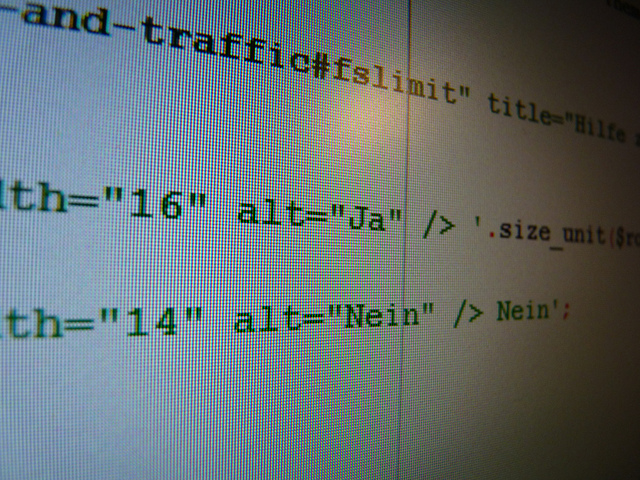
HTML code

Image via Flickr by Sebastian Fuss

Neater Code

If you’ve dealt with anything other than HTML5, you know exactly how messy code can get. With HTML5, though, you can create clear, descriptive semantic code. You’ll be able to easily separate function from style. Before, you’d have to use [div] for each individual block of content. HTML5 has [article], [header], [footer], and [nav] tags, as well as a few other ones that make it much more organized.

Mobile Support

You want your site to be accessible across all platforms, regardless of device, right? Then it’s time to adopt HTML5. HTML5 is fully supported by mobile browsers, so you won’t have any issues with people on mobile devices unable to see your content. With Flash support being officially off the radar for mobile support, HTML5 is the next best option. HTML5 will let your users view your content in full screen. You can also define width and zoom settings.

Full Audio and Video Support

Remember the pains of trying to embed a video or a piece of audio onto your site? It usually involved a lot of tags and troubleshooting when it inevitably wouldn’t work. You’d end up with code to embed a video that would sprawl across ten or more lines! Thanks to HTML5, those days are long gone.

HTML5 treats video and audio similar to image tags, using instead of anything else. You’ll probably need to add a bit of extra code to get the video working for older browsers that don’t support HTML5, but even then that’s only five or six lines of extra code. Now you can finally enhance your content without a ton of confusing code.

Location Support

Taking a step from mobile devices, HTML5 fully supports geolocation. This can help in many ways. For example, if the customer is trying to figure out how much they’ll pay for shipping to get an item shipped to them, it’ll skip the multiple menus asking for location that they’d have to sit through otherwise. HTML5 will utilize whatever it can to get a user’s location — your wireless network connection, the GPS on your phone, your IP address, etc. You can, of course, allow the user to disable this feature should they want to do so.

The Storage of Content

The way content is cached for later viewing is unique with HTML5. It’s sort of like the older cookies method, combined with cloud storage. The data will still be there even after the browser is closed. You don’t have to worry about deleting cookies. Storing data in the browser means you can cache data and load previous data, which will reduce overall load times.

Games!

Developing games for HTML5 is a breeze thanks to the [canvas] tag. It’ll be a lot easier to troubleshoot any issues you have thanks to HTML5’s way of displaying code. There are quite a few tutorials about how to develop games in HTML5, using examples that make use of CSS and jQuery.

Everything Supports It

HTML5 was designed with everyone in mind and it shows — it’s supported by Safari, Chrome, Firefox, and even Internet Explorer. Even though older browsers support it, some won’t be able to display certain aspects of HTML5. Fortunately, you can just add a Javascript shiv to allow those items to be displayed on older browsers.

When it comes to developing your website, there are a ton of directions you can go. HTML5 should be the first thing that you consider. Not only does it work across all desktop browsers, but most mobile browsers support it as well. Stop alienating your audience and clean up your code by adopting HTML5.

Have you seen an increase in traffic since using HTML5? Leave a comment and let us know!
Author’s Bio: Teddy Hunt is a freelance content writer with a focus on technology. When not behind a computer, Teddy spends the majority of his free time outdoors and resides in Tampa, Florida.

Filed Under: Successful Blog, Web Design Tagged With: bc, HTML5, web design

Instant Impressions: 7 Popular Web Design Trends

April 4, 2014 by Rosemary

By Teddy Hunt

The Internet is continuously involving, and people are constantly finding new ways to attract others to their website. Design trends are about as shifty as fashion, so it’s important to keep your website updated with the latest that web design has to offer. With that said, here are seven of the most popular web design trends spicing things up in 2014.

Funky Typography

Funky as in experimental, not funky as in overly complex and unreadable. Graphic designers are having as much fun as ever playing around with fonts and injecting them with flare. These fonts are spicier than your average serif or san-serif like Times New Roman or Helvetica. As the web further expands and more people take to creating their own websites, the need to branch out and come up with unique fonts that stand out is more important than ever before.

Super-Sized Navigation Menus

There’s been a plethora of fancy navigation menus designed, tested, and approved over the past few years, with mobile responsive design (we’ll get to that later) and HTML5/CSS3 influencing that. But the most recent trend seems to involve super-sized menus that expand to huge blocks of content and links. These menus are commonly found on websites that publish great volumes of unique content in high volumes. Although it takes up a lot of space on the page, it provides visitors a broader choice to navigate your website.

Mobile-First Design

The purpose of mobile-first design is to develop your website so that it has a responsive layout that’s accessible by mobile users without sacrificing quality. Essentially, you want to cut of the excess fluff and keep the critical elements. From this perspective, it’s easier to scale up your website’s design to devices that have wider screens. Mobile-first design emphasizes the mobile experience and becomes the foundation for the entire layout. Just make sure that you’re not committing mobile web design mistakes when designing your website.

More Videos

Website visitors are spending less time reading text and more time watching videos and looking at pictures (infographics). With that in mind, it’s time to trash the boring blurbs about what your company can offer and showcase that point in video format (don’t make them too long, though).

Not only is this media format more popular today, but it’s also easily sharable on social media, resulting in more views and greater brand awareness.

Endless Scrolling

Guess what? Scrolling through an in-depth website is easier and faster than clicking through 25 different links to get access to the information you want — and graphic designers are noticing.

These websites aren’t cluttered with content on long scrolling pages, either.

Designers use new website design techniques to format and organize the content in a way that’s easy to read and comprehend. Endless scrolling design can change the layout and design of the page as your scroll further, making you forget you’re scrolling through a lot of information to begin with.

Simple and Subtle Color Schemes

color wheel

The days of eye-popping graphics, complex animations, and crazy color schemes are coming to an end — at least for now. If you’re a smart graphic designer, you’ll use one or two colors instead in the future. One of the more popular trends today is to use a single bright color and a single clean background color like red, teal, or orange (including images or black and white text on top). Not only is this effect minimalistic, but it’s user-friendly.

3D Transition Effects

Whether it’s in animated image galleries, elements, or navigation menus, 3D animations are becoming more popular by the day. You can create 3D effects using jQuery; although, CSS3 has slowly caught up. Unfortunately, not all browsers support these types of animations, so designers avoid using too many on one page. Check out these 3D animated code examples to work from if you want to give a shot.

What website design trends do you expect in the near future? Have you implemented any that make your website stand out better than before? Leave a comment and share your thoughts on the subject.

Author’s Bio: Teddy Hunt is a freelance content writer with a focus on technology. When not behind a computer, Teddy spends the majority of his free time outdoors and resides in Tampa, Florida.

Photo Credit: Viktor Hertz via Compfight cc

Filed Under: Design, Web Design Tagged With: bc, fonts, graphics, web design

6 Reasons Poor Web Design Drives Traffic Away From Your Site

March 11, 2014 by Rosemary

By Teddy Hunt

The purpose of designing a website is to drive traffic to it. When it’s done well, you’ll get more views and effectively promote the product or service you’re selling. If you’re not getting the results you want, perhaps your website’s design just isn’t cutting it. Sure, you might think it’s as attractive as a pot of gold, but that doesn’t mean people who are visiting it will think so too.

Fortunately, some of your problems might just stem from fundamental design issues.

With that said, here are six reasons poor web design drives traffic away from your site, and how to fix it.

1. Your Design Includes a Hideous Background

The fastest way to drive traffic away from your website is to incorporate a background that’s hideous enough scare a blind man. A bad background is either overly busy, poorly contrasted, or animated. If you think your obnoxious background will keep users’ attention, think again.

Instead, use one single color for your background and keep it as simple as possible. If you use more than one color, make sure they compliment each other in a subtle way.

2. Your Design is Tough to Navigate

Getting people to visit your website is an accomplishment in and of itself, but if you’re not keeping them there then what’s the point. A website that’s tough to navigate is another way to keep people from coming back once they click the “x” on the top-right corner of the browser.

People don’t want to aimlessly search for what they want or need. Organize your website strategically so that users can easily navigate it without getting lost and left for dead.

3. Your Design Interrupts the User Experience

Even if your website is easy to navigate, annoying your visitors by constantly bombarding them with pop-up requests and ads will quickly have them running — or better yet, clicking — for the hills. In an online world filled with websites that cater to users’ wants and needs, yours needs to instantly satisfy your visitors without making them work too hard to feel that gratification. Keep the ads and requests to a minimum and you’ll do just that.

4. Your Design is Poorly Planned and Executed

With regard to planning, make sure the person you recruit to build the site is up to par. It is really step-one to your overhaul. If you’re not able to craft your own website, rely on experts who can do the job. Before you look to bring in a qualified individual or team, check yourself first. Make certain your company or organization has a clear vision and a strong reputation. This will ensure a quality hire.

Practically speaking, if you approach designing your website like an improv comedian does his or her act than chances are you’ll get more people leaving your website than he or she does laughs. Building and designing a website that serves its purpose — drives traffic and makes you money — takes time, effort, and patience. Before rushing into this project, carefully plan and prepare how you want your site to look by using a website wire frame to map it out.

With regard to planning, make sure the person you hire is on the same page. Recruiting and reigning in a top talent is really step-one to your design. If you’re not able to craft your own website, rely on experts who can do the job.

5. Your Design Doesn’t Have a Consistent Layout

An inconsistent website not only deters people from visiting it, but it makes your brand look unprofessional. When designing your (consistent) website, be sure to stay away from some of these bad design habits.

• Loud and distracting colors

• Large and bold fonts that seem to “SHOUT” and not “state”

• Small and unreadable fonts that users can’t decipher

• Visually unbalanced pages (poor text-to-image ratio)

• Spelling and grammar errors

• Inconsistent styles, color themes, and formats

• Not making sure the layout displays properly on all Internet browsers

If you pay extra attention to these points, you’ll be well on your way to designing a consistent website.

6. Your Design Includes Flash

Although animations can still have a place on your website (of course, on a very limited basis), it’s more strategic to use an HTML website because it’s properly indexed by search engines and it works on almost all modern devices. If your website visitors are accessing it on a smartphone and your website is Flash, chances are they’ll have trouble viewing it. Essentially, you want to stick to HTML websites so that you don’t waste your time and efforts designing.

If you keep some important points in mind, designing a website won’t seem as difficult as giving a heart transplant.

What are some other tips you can offer website designers looking to drive traffic? Leave a comment below.

Author’s Bio: Teddy Hunt is a freelance content writer with a focus on technology. When not behind a computer, Teddy spends the majority of his free time outdoors and resides in Tampa, Florida.

Filed Under: Successful Blog, Web Design Tagged With: bc, HTML, web design

Three of the Best Website Builders for Time-Crunched Graphic Designers

February 21, 2014 by Rosemary

By Teddy Hunt

OK, so perhaps you’re a graphic designer who knows he or she can create one hell of a website that impresses visitors. But sometimes there’s just not enough time, and you have to leave the hard work to the Internet. Whether you want to create an online portfolio to showcase your work, or a website that people can visit when they need your services, there are plenty of options out there to meet your needs and get a functional website running.

With that said, here are three of the best website builders available if you’re too “busy” to do it yourself.

lazy designers

Wix

Wix currently has more than 43 million registered users, with about 45,000 new ones joining every day. This website builder works well for photographers, musicians, small businesses, and yes, designers. It’s especially great if you’re a beginner so to speak, since it’s relatively easy to use and features a “Help” function that’s well thought out and easy to use. Here are some other pros and cons of Wix to think about before taking a test drive.

  • Impressive templates. Wix includes more than 280 templates or you can create a customized one.
  • Drag and drop interface. Simply choose what you need (text, pictures, slideshows, etc) and put them where you want without restrictions. Although it’s not the easiest builder to use out of the three, it works well.
  • Support and help. As stated earlier, Wix provides unmatched support and help. There are buttons you can click on for answers when you’re stumbled all over the website. With a VIP plan, you get one-on-one support.
  • Advertisements on the free version. Unfortunately, if you’re using Wix for free, your published website will include ad logos on the side and bottom of it. All three of these web builders have ads in some form or fashion in the free versions, but Wix has a considerable amount more. You’ll have to upgrade to get rid of the ads.
  • Can’t change templates. Once you decide on a template, you’re stuck with it. So choose wisely.
  • Won’t manage complex e-commerce needs. Want to build an online store? Stay away from Wix.

Weebly

If you’re looking for an easy-to-use website builder that doesn’t sacrifice reliability, look no further. Weebly is perfect for graphic designers who want to showcase their portfolio without much effort put into building the website. Here are some other pros and cons of Weebly to think about before taking a test drive.

  • The best drag and drop builder on the market. Yes, even better than Wix. There isn’t an overwhelming amount of tools, but still more than enough to build a functional and professional website.
  • Free. Not only is Weebly free for most users (or really cheap for those who want to upgrade), but the advertisements are minimal. No limits. No credit card information required. No pressure to upgrade.
  • Range of templates. Even with a free account, there’s a template for everyone (and you can change it).
  • Won’t manage complex e-commerce needs. See con about Wix.
  • Limited amount of designer-caliber templates. But Weebly is changing this rapidly, so it won’t be a con for long.
  • Basic blog functions. If you want to blog on your website, you’ll have to get used to the basics. Unfortunately, Weebly lags behind when it comes to blog post organization and management. Also, you can only promote your posts through Facebook and Twitter.

Squarespace

Squarespace launched in 2004 and has since used memorable marketing videos, good publicity, and stunning example websites to push itself to the top of the website builder food chain. It currently runs more than 1.8 million websites. Although most probably won’t appreciate what Squarespace has to offer, graphic designers most certainly will. Here are some other pros and cons to think about before taking a test drive.

  • Commands your attention. The templates on Squarespace are beautiful and rich with imagery, making it look like you poured your heart and soul into designing your blog or website.
  • Responsive templates. Meaning you can resize your browser and your content will automatically adjust to provide your visitors with an optimized viewing experience. This is so crucial for end user engagement. It’s critical to note in web design the advancement of photo quality coupled with the popularity and on-the-go convenience of tablets.
  • Extensive styling options. Squarespace offers them, other website builders don’t.
  • More difficult to use. Simply put, you need to invest some time and effort before taking advantage of all the tools that Squarespace offers. If easy is what you’re looking for, look elsewhere.
  • Drag and drop feature not as smooth. Wix and Weebly’s drag and drop interface seem to work smoother.
  • You can customize everything without going into codes. This is actually a con for the average Joe, but to an experienced graphic designer this might not mean much.

All three of these website builders work well. It all comes down to your wants, needs, and abilities.

Have you used one of these before? What was/is your experience like?

Author’s Bio: Teddy Hunt is a freelance content writer with a focus on technology. When not behind a computer, Teddy spends the majority of his free time outdoors and resides in Tampa, Florida.

Photo Credit: anoldent via Compfight cc

Filed Under: Design, Web Design Tagged With: bc, Design, website

Standing Out Of the Crowd – How to Design A Successful Portfolio Website

October 24, 2013 by R. Mfar

Portfolio websites are usually considered something meant only for graphic designers, web developers, design studios, artists, photographers, and the likes. But there’s no reason why you shouldn’t go for a portfolio website to get more clients or job opportunities, regardless of your job or profession, as long as you’ve got something to write home about.

A portfolio website can serve as a resume that will help you stand out of the crowd. A job applicant with his personal website will surely make a much better impression, as compared to someone presenting a typical CV, which are a dime a dozen. Having a portfolio website is one of the most effective ways of presenting and sharing your work samples, skills, and accomplishments. All you need is to share your website with prospective clients and let the website do the job. Not only that, but it will also help you brand yourself and find a better job opportunity.

And if you are thinking that a portfolio website is only for the well-established, veteran professionals then you are quite wide off the mark. Creating a portfolio website and working on your online presence via social networks like LinkedIn is equally important for fresh graduates looking for their first job.

Here’s how to make the most of your portfolio website …

The Appearance:

Appearance includes everything from logo to banner, and the overall design to colors and typography of your website. While it’s great to be a little creative and come up with an original design, however, trying to be overly creative at the expense of the usability, accessibility, or the readability of your website is not going to cut it. For example, creating a website without a header or navigation menu might be a novel idea but your potential employers might not appreciate the time or effort required in navigating through the website, so you should leave such novel ideas for graphic designers.

Talking of graphic designers, if you are looking for some inspiration, you can search for portfolio websites by some of those web designers; no wonder some of the most catchy and impressive looking portfolio websites are by web designers themselves. If you are short on budget, you can create a website yourself while using some of those freely available CMS. If you can invest a little, you can hire some freelance web designer, or simply use one of those premium templates (e.g. MotoCMS Templates).

The Content:

Content is the “meat and potatoes” of a website, be it a portfolio or any other kind of website. For a portfolio website, the main content is of course your qualification, work history, work samples, achievements, and accomplishments. Not to forget the testimonials. For a fresh graduate, it might be difficult to come up with all those achievements or testimonials to impress potential employers, but you can get some endorsements from your teachers. Regardless of the nature or type of your job, you should only present the best of your work, instead of focusing on the quantity, because usually the employers don’t have the time to go through more than 3 – 4 samples.

The Social Aspects:

Talking of the content, it is important to keep your website updated and for that, there’s nothing better than a blog. You don’t necessarily need to produce highest quality content on regular basis. All you need to do is to mix good quality posts on a relevant topic to some personal experiences and day to day activities. Not only the blog will serve as a tool to continuously update your portfolio website, but it will also help you add some social aspect to your website. You can share the good ones at social networks for some free promotion.

The Marketing:

Once you’ve a fully functional website with some content, it’s now time to market or promote your website. You don’t really need to invest your time and resources on conventional marketing techniques like SE optimization, link building, or PPC marketing. However, you should be focusing on social networking and outreach, and for that you will need to produce good quality content. Simply create a profile and spend some time at professional social networks like LinkedIn or Quora, not only you will learn a lot by Interacting with other professionals at these networks, but you will also find a lot of contacts and job opportunities from referrals.

Filed Under: Web Design Tagged With: bc, Design, jobs, portfolio website

Tips to Effectively Optimize Your Website with Multivariate Testing

July 9, 2013 by Rosemary

By Ruben Corbo

If you follow the branding convention adopted by most large companies, you’d note a uniform application of key branding elements, such as logo, slogan and trademarks across all their corporate websites. Big business also optimizes all forms of online interaction, be they blog, social media profiles or corporate portals. To optimize your website, you also can implement tactics that larger players use, provided you adopt a few essential tips and perform multivariate testing thoroughly.

Basics of Multivariate Testing

In multivariate testing, you select specific attributes of your website and test them simultaneously. This technique is also called “multi-variable testing” or “multi-variable assessment,” and the variables here refer to the website’s attributes. These include user-friendliness, design, layout, compatibility with smart phones, and browsing requirements—say, browser type and security level, depending on the page a user is reading. Unlike multivariate testing, A/B testing only focuses on two operational scenarios and assesses a single attribute.

Website Optimization 101

Also known as portal enhancement, website optimization covers the mishmash of things—say, esthetic, programming and security—that a company does to elevate the stature of its website in search engine rankings, increase conversion rates and generate cash in the long term. To perform website optimization, adopt a tactic that fits your budget and operational model. You either do it yourself or use online tools to help you convert traffic to online sales. You also can hire an SEO specialist to analyze your content and search ranks, track conversion rates, and rummage in the website’s data to understand what’s going on from an optimization standpoint.

Running Effective Multivariate Tests

To run an effective multivariate test, you should understand not only the fundamentals of the test but also things like usage requirements and testing steps.

Usage Requirements

You typically would need multivariate testing if you operate a highly trafficked, complex website with stringent coding requirements and security layers. This type of testing is also suitable if you want to improve the “look and feel” of the portal, an element that becomes as important as ever for a site that experiences heaving readership on a daily basis. For a modest-traffic portal, such as blog or personal website, I recommend A/B testing instead.

Testing Steps

Follow these steps to run an effective and efficient multivariate test, but remember again that you can use online tools or hire an expert if you run a complex operation or simply need to have a specialist coordinate the assessment.

  1. Evaluate your website to determine what must be fixed.
  2. Set the way you want to test batches, specifying such attributes as user-friendliness, security, information and “look and feel.”
  3. Choose test variations.
  4. Run the multivariate test.
  5. Analyze results and decide whether a new test is needed to confirm the results.
  6. Implement the results on your website—that is, fix or improve it according to the results.

Take-Away

Believe it or not, your website says a lot about your company, how seriously you take online commerce, and the operational importance you ascribe to the comfort of readers, shoppers and your existing customers. So adopt effective measures to optimize your corporate portal. In a digital era in which the first impression invariably counts, it is in your company’s economic interests to design and deploy an attractive yet informative website. Multivariate testing can help in this process, but make sure you do your homework in advance, apply specific steps, and glean relevant information from specialized portals.

Author’s Bio: Ruben Corbo is a freelance writer that writes about technology, gaming, music, and online marketing especially topics about A/B Testing and multivariate testing. Ruben has written several online marketing articles related to the topic of converting traffic to sales which you can find out more novice information on Maxymiser. When Ruben is not writing he is composing and producing music for short films and other visual arts.

Filed Under: Web Design Tagged With: A/B, bc, Design, optimize, testing, website

  • « Previous Page
  • 1
  • 2
  • 3
  • 4
  • Next Page »

Recently Updated Posts

Is Your Brand Fan Friendly?

How to Improve Your Freelancing Productivity

How to Leverage Live Streaming for Content Marketing

10 Key Customer Experience Design Factors to Consider

How to Use a Lead Generation Item on Facebook

How to Become a Better Storyteller


From Liz Strauss & GeniusShared Press

  • What IS an SOB?!
  • SOB A-Z Directory
  • Letting Liz Be

© 2025 ME Strauss & GeniusShared