Successful Blog

  • Home
  • Community
  • About
  • Author Guidelines
  • Liz’s Book
  • Stay Tuned

Is Your Strategy About Winning Opportunities?

August 10, 2009 by Liz

Strategy

strategybutton

I’ve been having conversations about strategy and tactics lately. Projects are launching soon and I’m planning for SOBCon2010 — Strategy and Tactics are going to be a big part of the content. That’s sent me on some blissful research and some not so lovely mind searching — realizing I had some strategic work of my own to be doing.

As strategy became my main topic of conversation, I came to the following realizations:

  • We don’t learn or teach good decision making in schools.
  • Most folks make random decisions.
  • Most folks confuse tactics with strategy — basically thinking they’re the same thing.
  • Few folks think of strategy as opportunity mining.
  • Few folks have a strategy that fully leverages their unique position.

Tactics are interesting. The accomplishments they bring can be thrilling. But the bigger picture that a strategic mission lays out is powerful and amazing thinking.

Is Your Strategy About Finding Opportunities?

Strategy isn’t a plan, a decision, a goal, a destination.
It’s a tool for leveraging who you are, what you know, where you are, the environment, and how people think and respond to each other. Strategy is a system for improving your position.

  1. Have a Mission — set an ultimate philosophical, economical, and / or political purpose
  2. Assess Your Position — Look, listen, measure, test your current situation, climate, resources, opportunities
  3. Move Forward Tactically in Increments — Size, choose, and commit to campaigns that reflect obstacles, goals, and prizes
  4. Celebrate and Record Your Winnings — All progress is good.

Strategy is based on the idea that you have a unique place in the world. All opportunities flow from that position. — Gary Gagliardi

All strategy is discovering, choosing, taking advantage of, and winning opportunities.

who_needs_a_boat-2

Strategic perspective can light unique and unexpected pathways.

Have you looked at your strategic mission lately?
Is your strategy about winning opportunities?
Are you leveraging your unique position?

I make connections.
–ME “Liz” Strauss
Want to do some strategic thinking?

Buy the ebook. Learn the art of online conversation.

Filed Under: Strategy/Analysis, Successful Blog Tagged With: bc, LinkedIn, social business, Strategy/Analysis

Can bing Help Me Decide?

August 9, 2009 by Liz


What Is This bing Thing?

bing arrived on my radar with an email that said …

In August, Bing shopping and cashback will offer significantly higher rebates from hundreds of retailers to help consumers save on essential back-to-school items. Below please find a press release that highlights the survey [and] information on Bing shopping’s upcoming back-to-school promotion. Also, watch for more information about the promotion on the Bing cashback Facebook page: www.facebook.com/cashback .

I accepted an invitation to talk with Melissa Powell, Senior Product Manager, bing, about the recent research and the the new “decision” engine.

How Does bing Help My Decisions?

binglogo

The first thing Melissa said was, “The search interface hasn’t kept up with the explosion of content.” In response to that situation Microsoft wanted to cater to what people are doing online and where they are searching for it.

bing has identified four verticals as important: making a purchase decision, planning a trip, researching a health condition or finding a local business. For example, in travel bing has several interactive tools to help travelers. They include …

  • Price Predictor uses Farecast technology to predict whether the price of a flight is going up or down and offers a “Buy Now” or “Wait” recommendation with a confidence level and expected price increase or decrease over the next seven days.
  • Rate Indicator analyzes historical rate data to determine whether the current price is a good deal.
  • Travel Deals features up-to-the-minute flight and hotel deals for nearly 40 cities around the world and why particular flights are considered deals.

Melissa underscored the bing quest by stating …

Bing helps you make better decisions faster, especially in the key areas of shopping, travel, health and local. One of my favorite features is Bing shopping, which helps you search, shop and save in a snap. With back-to-school just around the corner, you can save on millions of products from hundreds of the nation’s top retailers. Starting August 10 and for a limited time, we’ll offer as much as double the normal cash back from select retailers to help families save on their back-to-school essentials.

Research Before I Decide …

You can’t miss the beautiful design of the homepage the changes daily and becoming a member of bing has perks — open a bing cashback account, get bing news alerts, add bing map collections, and gain full access to the bing Webmaster Center and the bing Developer Center.

I signed up. Well, I started to, but I don’t have an MSN Live address and I’m not sure I want another id … as pretty as bing is, I decided more research was in order.

So I used bing to check bing versus google.
You can check and compare here …

I compared the cost of living between Chicago and Salt Lake City. I think Google got closer to what I might want to know.

Some folks say bing maybe offering information to sway my decision … I tried to find more examples of bias and wasn’t successful. Some folks are more clever than I.

Decide or Decide to Buy? …

From the first hello “every bing” has been about buying. The introductory email pointed to a back-to-school shoppers survey. I learned that:

  • 56% of shoppers won’t be buying Back-to-School supplies online
  • 75% will trade down to get more value for price

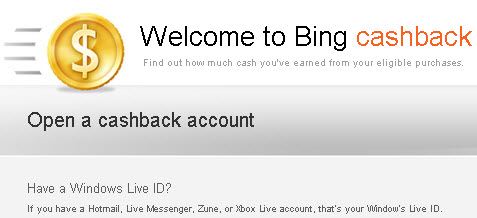
At the sign up screen, I was greeted with

bingcashback

and when I hesitated to complete that step … I was received an email reminding me of the opportunity to get cash back on my purchases. It read,

Hello,
Welcome to Bing, the search that pays you back!

What I hear is not “decide,” but “decide to buy.”

Can bing Help Me Decide?

A small sign upper right on the bing home page reads:

Live Search is evolving. Tour Bing …

Can bing help me decide?

I keep remembering my mom saying “if everyone jumped off the bridge …” As Judy Shapiro said,

Maybe I am just too independently minded (and not the primary target), but I resist the notion that Microsoft technology will decide anything for me. What I really want is technology to give me the information I need to make the decision I want.

Have you tried bing? What did you find?

–ME “Liz” Strauss
Work with Liz on your business!!

Buy the ebook. Learn the art of online conversation.

Filed Under: Marketing /Sales / Social Media, Successful Blog, Tools Tagged With: bc, bing, LinkedIn, Marketing /Sales / Social Media

Thanks to Week 198 SOBs

August 8, 2009 by Liz

muddy teal strip A

Successful and Outstanding Bloggers

Let me introduce the bloggers
who have earned this official badge of achievement,

Purple SOB Button Original SOB Button Red SOB Button Purple and Blue SOB Button
and the right to call themselves
Successful Blog SOBs.

I invite them to take a badge home to display on their blogs.

muddy teal strip A

great-adaptations

interactiveamy

lizs-diary-of-a-web-gal

nextgenweb

s|mspin

They take the conversation to their readers,
contribute great ideas, challenge us, make us better, and make our businesses stronger.

I thank all of our SOBs for thinking what we say is worth passing on.
Good conversation shared can only improve the blogging community.

Should anyone question this SOB button’s validity, send him or her to me. Thie award carries a “Liz said so” guarantee, is endorsed by Kings of the Hemispheres, Martin and Michael, and is backed by my brothers, Angelo and Pasquale.

deep purple strip

Want to become an SOB?

If you’re an SO-Wanna-B, you can see the whole list of SOBs and learn how to be one by visiting the SOB Hall of Fame– A-Z Directory . Click the link or visit the What IS an SOB?! page in the sidebar.

–ME “Liz” Strauss

Filed Under: SOB Business, Successful Blog Tagged With: bc, blog-promotion, SOB-Directory, SOB-Hall-of-Fame, Successful and Outstanding Blogs

50 Chicago WordCamp Blue Feather Tweeters

August 7, 2009 by Liz

Sweet WordCamp Chicago

When I attended WordCamp Chicago I spoke on pencil and paper camp …
how we all write code — ABCs …
how we all ARE code — DNA …
during that discussion we shared Twitter names that I promised to compile and post one day.

Unfortunately, time, travel, great clients, and a friend’s passing have slowed my abilitiy to get to this list, but finally I can say …

This is the day I start sharing Blue Feather Tweeters from Chicago Word Camp …

First the speakers and organizers …

  1. Matt Mullenweg, founder of our favorite blog/CMS platform, @photomatt
  2. Jeremy Wright, CEO of one of the largest global new media blog networks, @jeremywright
  3. Jim Turner, business and social media blogging consultant, @genuine
  4. Erin Blaskie, CEO of global internet marketing strategy consultancy, @ErinBlaskie
  5. David Dalka, marketing and digital technology coach, @dalka
  6. Liz Strauss, online social strategist, owner of Successful Blog and Founder of SOBCon @lizstrauss
  7. Micah Baldwin, VP of business development of search-powered web application, Lijit @micah
  8. Tim Frick, who creates design-driven communication solutions with his company, Mightybytes @Mightybytes
  9. Doug Hanna, head honcho of running the day-to-day operations of the WordPress showcase @douglashanna
  10. Kevin Palmer, social media expert consultant and talent behind Social Media Answers @kevinpalmer
  11. Brian Gardner, Chicago WordCamp Organizser, Freelance Web Consultant, and Designer of the WordPress Revolution @bgardner
  12. Lisa Sabin-Wilson, Chicago WordCamp Organizer, Author of WordPress for Dummies, and Awesome designer @LisaSabinWilson
  13. The attendees and their WordCamp taglines

  14. Jeff Melvin, local targeted traffic, @jlmelvin
  15. Susan Hayse, Web Developer / Cycling Gear Editory @susancycles
  16. Troy Christensen, WordPress, Geek @TroyChristensen
  17. Chris Hajer, Love WordPress @ChrisHajer
  18. Sophia Madana, WordPress beginner @smadana
  19. Nancy Loo, evolving journalist @NancyLoo
  20. Mike Paradiso, passionately determined @mikeparadiso
  21. John LiCausi, WordPress is the heart of my businesss! @JohnLiCausi
  22. Marcie Hill, blog addiction @Marcie_Hill
  23. Sharon Kelly, need to know why @sharon_kelly
  24. Elaine Luther, jeweler, artist, writer @ElaineLuther
  25. Amy Ravit Korin, learning and excited @InteractiveAmy
  26. Anne Asher, Body posture @AnneAsherr
  27. Doug Devitre, Real Estate @dougdevitre
  28. Len Mason, bored weekends, @lenmason
  29. Alex Falkenberg, thank you, @AlexFalk
  30. Denise Wiler, likes learning, @dqwiler
  31. Beth McBride, need knowledge, @BethMcB
  32. Kristin Koskinen, still searching @kristinkoskinen
  33. Larry Null, Learn WordPress Better, Don’t Follow Rules @Larry_Null
  34. Joe Besenjak, Pastoral care, @JBesenjak
  35. Brad Williams, hardcore developer @williamsba
  36. Ryan Powszok, Social creativity @RyanPowszok
  37. Josh Feck, new experience @joshfeck
  38. Steve Racine, to learn @Quickshot56
  39. Chris King, build websites @fendmark
  40. Jessica Searles, WordPress Security @techwriterjess
  41. Jacob Santos, take video @JacobSantos
  42. Melissa Feeney, socially connected @Melissa Feeney
  43. Todd Krause, curiously social @toddjob
  44. Deena Mayne, WordPress artiste @Deena_Mayne
  45. Jane Goodwin, muuuust speeeak … @mamacita
  46. David Peralty, to make friends, I’m lonely 🙂 @brandingdavid
  47. Josh Byers, Love creating @joshbyers
  48. Steve Gassner inspire possibilities @stevegassner
  49. Brandon Zeman, Fun people @BrandonZeman
  50. Ryan Villnow, Design and Development @Villnow
  51. Terri Ford, Seeking change @TerriFord

More Blue Feather WordCamp Chicago Tweeters to come next week!!

–ME “Liz” Strauss
Work with Liz!!

Raise your influence and income. Be Seen! Be Heard Be Hired!

Filed Under: Marketing /Sales / Social Media, Successful Blog Tagged With: bc

25 Words of Social Media Wisdom — Pass It On!

August 5, 2009 by Liz

Can 25 Words Change the World?

The Living Web

Thank you to everyone who participated in the 25 Words of Social Media Wisdom Project. It was another amazing example of the power of writing. It was also another challenge to make this one shine as brightly as the words.

Thank you for your wisdom!

You were inspiring
You reminded us.
You asked and you answered.
You set the bar and touched touched hearts.
You showed our realities and imagined new ones.
Broke the rules and jumped the walls.
Put the people in the center of it all.
In every way you showed the value of every voice online and off.

Here’s what you wrote.

25 Words Of Social Media Wisdom Project

View more presentations from Liz Strauss.

Click “full” to see it on the full screen. Click the single right arrow to move to the next slide. To embed this on your blog or share it with others, just click the “embed” tag on the viewer.

I checked twice to be sure I got everyone’s selection. But if I missed you please let me know and I’ll edit and add you in immediately. The 25-word authors are:
Courtney Chowning
Liz Strauss
Claire Druga
Karin H
Christa Miller
Suzanna Stinnett
MaryS
Liz Hover
Writer-Mommy
Tim Tracey
bobjones.nl
AppFail
Regina Lark
Summer Huggins
ANDI
Anna
Karen Putz
that damn redhead
Tim Bursch
Niro
Tracy Fox
Joseph Crockett
Jen
Lorraine Ball
Ike
Dave Haber
Tre~
Jim Storer
Rebecca E. Parsons
Sheila Scarborough
Jim McGee
Francie
nerdmuffin
Julie
Avil Beckford
Glenda

Thanks to everyone who participated by writing or reading!

If I missed yours please, please, please, let me know.

And if you missed it . . . 25 Words of Work / Life Wisdom — Pass It On!
25 Words that Connect Us — Pass It On!!

–ME “Liz” Strauss
Work with Liz!!

Buy the eBook to get comfortable writing on the Internet.

Filed Under: Successful Blog Tagged With: Add new tag, bc

40 Tweeps Answer "What 3 Tools Should Any New Twitter User Adopt?"

August 4, 2009 by Liz

Not What You Expect, But Delicious

relationships button

Truth is I had a plan for an entirely different blog post today. Then, I was working on a slideshow for a client tonight. I threw out a question …

What are the first three tools any Twitter user should adopt?

The answers were so awesome I decided to change my plan and share the answers with you instead.

The three tools suggest for any new twitter user are:

  1. @Silver_Craig said: a hammer, a crowbar, and a shotgun.
  2. @RonaldWilsher said: Faith, hope & love.
  3. @longstride said: 1) open mind – 2) good nature – 3) brevity 😉
  4. @RandyLivingston said: AllTop, Adjix
  5. @jonathanfields said: truth, courage & wisdom
  6. @harrisja said:Twitter search, hashtags and Seesmic Desktop
  7. @jfouts said: Tweetbeep, Seesmic or Tweetdeck and Lazyfeed
  8. @dustyhawk said: i would say twitfox, followed by tweetdeck and err i forgot
  9. @karmacom said: brevity, wit and value-add 🙂
  10. @alexchantastic said: A mobile twitter client
  11. @digiphile said: First tools a Twitter user should adopt? Here’s my take, in podcast form: http://bit.ly/gpUZo | Search, mobile & desktop clients
  12. @MiNutrition said: Evernote, Twitter Twerp Scan
  13. @vanillacokehead said: 1st, a personal set of rules of engagement for using Twitter. 2nd, an open mind. 3rd, a good Twitter client like TweetDeck
  14. @Asfaq said: For the tools bit, I’d say: Tweetdeck, a camera enabled phone and a cheaper mobile data plan 🙂
  15. @TweetThisBabe said: 1) Manners – be polite and courteous to all 2) Learn the lingo but don’t be afraid to ask some1 3) REFRESH pg always 🙂
  16. @DigitalWoman said: 1st 3 Twitter Tools: Seesmic Desktop or Tweetdeck to manage tweets, Bit.ly to shorten urls, & Tweetie or TwitterBerry for mobile
  17. @FreeRangeMom said: 1st three tools for any new twitter user: TweetDeck, pick one url tracker supported by Tweetdeck, and a clearly defined POV
  18. @JoeCrockett said: Dictionary of abbreviations and small words, grammar/spell checker, sense of humor?
  19. @ChicagoDiane said: Tweetdeck, Twitpic and I guess Tweetie or UberTwitter. Need a URL shortener, but incl w/Tweetdeck.
  20. @Lazy_Libra said: tweetdeck, twitter search, bit.ly
  21. @binarywolf said: Seesmic/TweetDeck, Twitter Search, Twitpic
  22. @mcb927 said: Better interface w/ org/mgmnt tools (TweetDeck); add’l connectivity (Twitterberry, etc); tracking tool (ie Monitter)
  23. @patty_reiser said: Good relationship building skills, the ability to communicate effectively, no following spammers.
  24. @bethbellor said: I would be lost without TweetDeck.
  25. @dave_lo said:localtweeps (or some other local search tool), wefollow, tweetdeck Localizing your Twitter early on helps new users to stay engaged and continue building their niche. Also cool to hang out
  26. @adamstahr said: 1) Twitter search 2) Tweetdeck 3) Mobile app (if applicable)
  27. @RealHomeLogic said: replies, direct messages & the ability to converse w/ others are 3 crytical tools to master on Twitter.
  28. @NicoleJensen said: a good desktop client (twhirl or tweetdeck), cleaning app (like friendorfollow.com or twitoria.com) and @twtapps. More than 3 🙂
  29. @nironash said: The best tools for me are: respect, ethic, truth, intelligence, knowledge, communication competence and etc. Sorry no answer!
  30. @mgharavi said: Tweetdeck, bit.ly (for tracking clicks), and ReadItLater. Honorable mention: mobile app compatible with their phone
  31. @StoryAssistant said: My FIRST 3 tools 4 Twitter R all around finding the right followers: 1) @TweetLater (keyword search), 2) @Twellow & 3) @MrTweet
  32. @brianjohnriggs said: an awesome question. What are the first three tools any Twitter user should adopt? a schedule and adopting a no fear apprch
  33. @ZackLuby said: tweetdeck, twellow, and a link shortener that has analytics. Also NOT an auto follow tool 🙂
  34. @btrandolph said: 3 tools: !)tweetdeck @) topify 3) bit.ly account
  35. @stevegasser said: That is a great question. Here are a few I recommend: TweetDeck, a great Firefox Extension, Twellow
  36. @deafmom said: Listening, sharing, caring.
  37. @reese said: I like that the tools ppl suggest aren’t all ‘techie.’ 🙂 here are mine: 1. generosity 2. curiosity 3. value
  38. @KimSherrell said: First 3 Tools for Beginner [1] Twitter Search [2] http://hashtags.org [3] http://wefollow.com
  39. @photobiz said: three best early twitter tools : tweetdeck, twitterchat, twellow
  40. @allanschoenberg said: Just 3? Fine, Tweetdeck, bit.ly, Twitpic

The point is that we all have our own way of looking at this social tool and our own way of using it.

Kind of like we have our own way of making use of paper and pencil … it’s all in the messages and connections that come through what you do with it.

–ME “Liz” Strauss
Work with Liz on your business!!

Buy the ebook. Learn the art of online conversation.

Filed Under: Successful Blog Tagged With: bc

  • « Previous Page
  • 1
  • …
  • 123
  • 124
  • 125
  • 126
  • 127
  • …
  • 707
  • Next Page »

Recently Updated Posts

The Creator’s Edge: How Bloggers and Influencers Can Master Dropshipping

Is Your Brand Fan Friendly?

How to Improve Your Freelancing Productivity

How to Leverage Live Streaming for Content Marketing

10 Key Customer Experience Design Factors to Consider

How to Use a Lead Generation Item on Facebook


From Liz Strauss & GeniusShared Press

  • What IS an SOB?!
  • SOB A-Z Directory
  • Letting Liz Be

© 2025 ME Strauss & GeniusShared