Successful Blog

  • Home
  • Community
  • About
  • Author Guidelines
  • Liz’s Book
  • Stay Tuned

How to use hashtags without looking like a doofus

March 21, 2013 by Rosemary

To hashtag or not to hashtag, that is the question

It looks like a tic tac toe board, or the pound sign from a push-button telephone. The weird and wonderful hashtag is pretty much everywhere, from TV shows to the sides of buses. This post will get you up to speed with the latest hashtag etiquette, so you can take advantage of its power.

Hashtag etiquette
The origins of the hashtag go all the way back to IRC, which is a free real-time text chat tool that was popular before graphic interfaces (and video chat) took over. (Incidentally, there are still a lot of people using IRC.) The hashtag was used to pull together messages that all related to a certain subject. Later, Twitter denizens decided to adopt the same mechanism (legend attributes this to Chris Messina).

When you see a hyperlinked hashtag, it means you can click it to find content that relates to that subject, whether it’s an event, show, Twitter chat, meme, or random topic. When you see a non-hyperlinked hashtag, it usually means that someone has inserted a hashtag in a platform where it’s not recognized. That’s usually seen as an annoyance by the citizens of that platform, so it might be best to avoid doing that.

Recent hashtag changes

Supposedly Facebook is going to announce that it will start recognizing hashtags soon. This is a major boon to marketers, who will now be able to extend the reach of a hashtag across two huge platforms at once (Twitter and Facebook). Flickr also just added hashtags to its iOS app. However, Pinterest’s latest update renders hashtags non-clickable.

Pro hashtag tips

  • If you’re using a new/unfamiliar hashtag, go to Twitter Advanced Search and check to see who else is already using it. You can also use an external site like hashtags.org.
  • Join some Twitter chats in your niche; it’s a great way to network. You can use a tool like Tweetchat to automatically add the hashtag to your Tweets and see the stream.
  • Don’t use more than one hashtag in a status update unless there’s a really compelling reason.
  • Remember you’re in public. Since hashtags are aggregated all over the place, remember that content you hashtag is accessible to the world.
  • If you’re using a hashtag for an event, be sure to publicize it in advance, and then display it at the event on screen, and on conference materials. The first two questions at every conference are what’s the WiFi password and what hashtag should we use?
  • If you want to see action around a specific hashtag from across the web, look at a site like Twubs.com, which pulls together content from a hashtag and allows you to screen content if you’re streaming it live (to delete spam from the stream).

Are you using hashtags? Have any hashtag pet peeves you want to share with us?

Author’s Bio: Rosemary O’Neill is an insightful spirit who works for Social Strata — a top ten company to work for on the Internet . Check out the Social Strata blog. You can find Rosemary on Twitter as @rhogroupee

Filed Under: Marketing /Sales / Social Media, P2020 Tagged With: bc, blog marketing, etiquette, hashtags

Online work is never “done”

March 7, 2013 by Rosemary

This morning I woke up to the latest Google+ change to the cover photo and did a classic face-palm. I thought that was done. Handled. Taken care of.

Except, when your business is online, there is no “done.”

There’s a classic myth about King Sisyphus who was cursed to roll a huge boulder uphill only to watch the boulder roll back down and repeat the process. For eternity.

Perhaps that’s an extreme reference, but sometimes dealing with the shifting sands of online business feels that way, doesn’t it?

Don’t worry, we’re all in this together.

You can maintain your sanity with these handy tips:

Don’t get caught by surprise

Stay on top of breaking news in your niche and for online business in general. Sites like Mashable, ReadWrite, TechCrunch, and TheNextWeb all offer quick punches of information, and you can often get a heads-up on trends before they catch you flat-footed. Consider subscribing to the technical blogs of the big social networks, to get advance notice of design or other changes (like this post where Twitter warned of upcoming API changes).

Do your chores consistently

Set aside time each week for housekeeping, tweaking graphics, updating links, and fixing your site. If you schedule specific time to do this, you won’t end up shoehorning it in between client calls. Use a block of time consistently to line up chunks of content, or batch change graphics, or do other maintenance tasks.

Delegate if you can

Some repetitive tasks can be outsourced or delegated, so you can invest your own valuable time doing the things that only you can do. Find a virtual assistant, get a freelancer to write some content for you, or judiciously use automation tools to gain efficiency. One of Tim Ferriss’ key suggestions in The Four Hour Work Week is to use outsourcing as a time saver.

Finally, recognize that everyone else is scrambling to keep up too. We all have our boulders to roll.

(If you’d like to update your Google+ cover photo, you’ll need an eye-catching 2120 pixel by 1192 pixel picture that conveys your brand message.)

Do you have any tricks for keeping pace with constant online developments?

Author’s Bio: Rosemary O’Neill is an insightful spirit who works for social strata — a top ten company to work for on the Internet . Check out the Social Strata blog. You can find Rosemary on Twitter as @rhogroupee


Image: pasukaru76 via Flickr CC license.

Filed Under: Business Life, management, Motivation, P2020, Productivity Tagged With: bc, delegation, Design, online, outsource

3 Killer Collaboration Tools

February 21, 2013 by Rosemary

Great collaboration is about sharing, accessibility, and trust. As more and more people are telecommuting and working with remote teams, it can be tricky trying to coordinate tasks and stay connected.

Today’s tip includes three of my favorite remote collaboration tools that I use every single day.

Flow by MetaLabs

Flow app

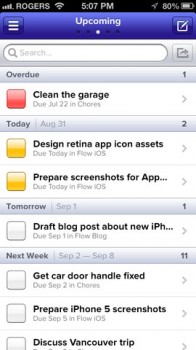
You know how, when you’re doing something you love, time just slips away unnoticed? They call that the state of flow, and this app is appropriately named. It’s available as a web interface as well as an iPhone app, and it keeps the whole team together.

I get notifications when someone posts to a Flow task, it kills the whole chain-of-emails torture, and everything syncs up nicely. It’s so easy and fast, I have been able to provide input on an urgent Flow task while standing in line at Disneyland.

HipChat by Atlassian

HipChat

When you’re working in the same office, you can yell through the wall when you have quick questions (or if you want to talk about the latest Survivor episode). HipChat gives you the same immediacy, with public and private text chat rooms, notifications, and file sharing. It’s totally cross-platform on mobile, and available as a web client or desktop app.

Picture this scenario…you are on the phone with a client and they ask a question you can’t answer. You pop into HipChat, and get the answer from another member of your team, without skipping a beat. You look like a genius.

Google+ Hangouts

Google+ Hangout

Sometimes text just isn’t enough. If you really want to build strong team relationships, there’s no substitute for face-to-face. Google+ Hangouts are a wonderful solution for remote teams to share project information and — hangout. They are so simple to set up and use that there’s no excuse for not trying it yet. How else are you going to bust that colleague you suspect is working in their pajamas?

How do you collaborate with remote colleagues? Share your favorite tools in the comments.

Author’s Bio: Rosemary O’Neill is an insightful spirit who works for social strata — a top ten company to work for on the Internet . Check out the Social Strata blog. You can find Rosemary on Twitter as @rhogroupee

Filed Under: P2020, teamwork Tagged With: bc, collaborate, collaboration, Productivity, team, telecommute, tools

A Vacationer’s Guide To Blogging

October 20, 2010 by Guest Author

by Jael Strong

—-

The sun, the sand, the relaxing rhythm of the crashing waves – this is paradise.  The cool drink on a hot day, the delicious food, the nagging feeling in the back of my mind that keeps reminding me that there is something I just have to do!  What is happening to my vacation?!

Here I am in sunny Florida, sleeping in everyday, and I should be thrilled to be a thousand miles from Ohio (and I am, mostly), but I have sabotaged my vacation.  I should have done one of many things to avoid working while on vacation, but I didn’t, and so for at least a few minutes everyday, I pay the price for not planning well enough in advance.

Blogging is a regular gig. Whether we blog daily, weekly, monthly, or seasonally, the expectation is that our blog will show up when it is supposed to show. Blogging inconsistently isn’t an option since we hope that readers will come back at the expected time to read more of our great content.  If we’re a no-show that is bad for business.

But vacation is a chance to get away from it all, even blogging.  So, what should I have done to keep myself from having to work while on vacation?  Oh, to be able to travel back in time…

Trading Places

If you’re fortunate enough, as I am, you have at least small network of individuals with whom to trade work. I had many opportunities to cut back on my vacation workload.  During the planning phases, I should have said to Terez Howard, my writing cohort, I’ll take that assignment if you take this assignment.  Even as my vacation days approached and I saw that I had work scheduled during vacation time, I could have given Terez a quick call to ask for a switch, but I didn’t.  So sad, so sad…

Doubling Up

I know someone who always has their work done well in advance.  That is great!  If you can get the writing out of the way before vacation, then you certainly don’t have to worry about it while on vacation. This would have been a wonderful option for me.  I could have organized myself so that I did twice as much writing the week before my trip, freeing up vacation time. Even if I had done a portion of the writing in advance, it would have lightened my vacation workload.

Paring Down

Admittedly, this is what I did. I didn’t trade or double up, but it is never too late to decide that something can wait for later. Obviously, if you are writing for a client or for someone else who is relying on you, you can’t short change them.  But I took a look I my “to do” list and decided that some of the behind the scenes activity could wait until I was back home in Ohio, enjoying the warmth inside as the frigid air blows outside.

I really must go now.  There is going to be live band playing poolside soon and I want to reserve my place in the sun.  In the meantime though, how do you organize your blogging around vacation time?Â

Jael Strong writes for TheWriteBloggers, a professional blogging service which builds clients authority status and net visibility.  She has written both fiction and non-fiction pieces for print and online publications.  She regularly blogs at Freelance Writing Mamas .

Thanks, Jael

–ME “Liz” Strauss
Work with Liz on your business!!

Filed Under: P2020, Successful Blog, Writing Tagged With: bc, blogging, Jael Strong, LinkedIn

What Ben Curnett said … about the Ultra-Marathon of Reflection

August 1, 2010 by Liz

A community isn’t built or befriended,
it’s connected by offering and accepting.
Community is affinity, identity, and kinship
that make room for ideas, thoughts, and solutions.
Wherever a community gathers, we aspire and inspire each other intentionally . . . And our words shine with authenticity.

What is the ultra-marathon of reflection?

It seems the best of us are searching for bandwidth … the time — at the same moment when we have the energy — to pull our best, long, deep thoughts together. The luxury of expanding into our work, our lives, and our dreams with that focus too often escapes us in the noise.


Pamir Kiciman
( @gassho )wrote Watering Ideas at the Reflecting Pool about how to reach out and into ourselves for it.

Here’s what Ben said . . .

Thank you for the post, Pamir.

It’s helpful for me to think of concentration as a muscle. It has a finite supply of work it can do before it gives out.

I can walk up one flight of stairs easily, but after 10, my legs are starting to burn. After 20, I have to stop and rest.

Likewise, I can concentrate on an idea. At first, the idea is powerful, and thoughts come naturally. Slowly, I lose interest and my mind wanders. It becomes harder and harder to focus on the idea, and eventually, I have to stop.

Your bullets for interiorizing the mind remind me of a workout. The more I train, the better my concentration becomes.

I’m curious as to what you might consider the upper limits of concentration. To use my metaphor (if you think it fits), what is the ultra-marathon of reflection?
Ben Curnett from a comment on January 26, 2010

A successful and outstanding blogger said that.
–ME “Liz” Strauss

Register for SOBCon09. May 1-3!

Don’t miss a chance to change your life.

Filed Under: Community, P2020, Successful Blog, Writing Tagged With: bc, Ben Curnett, LinkedIn, Pamir Kiciman, reflection

10 Blogger Best Practices: Guides as You Extend Your Reach

February 3, 2009 by Liz

How to blog series

Know Who You Are

All year long I’ve mulling on a thought I first considered when I was under 5 years old. I wrote about it on my first blog.

“Square peg in a round hole.” That’s what people used to call it.

Even as a kid I knew it was a silly waste of time to put a square peg in a round hole. That was just plain common sense To make the peg fit, it wouldn’t be a square peg anymore. It would hurt the peg, and the hole wouldn’t like it.

Whenever I try to make myself fit a situation, it’s like trying to teach a pig to sing — sounds awful and the pig gets mad. I turn into a louder, sort of a shiny green spandex facsimile of the real me. Is it a wonder then that people don’t respond well?

It’s really no surprise that trying to be something “other” doesn’t work with a blog either.

Relationships are a lot more fun with people who know themselves. Our blogs are reflections of how well we know who we are.

10 Blogger Best Practices

Here are 10 Blogger Best Practices for the social web. These 10 best practices guide me as I write and meet new people on the social business web. They help me stay focused on my quest and explain it when people ask. When I remember them, they serve me well. I hope they’ll serve you too.

  1. Know yourself. Know what you’re about and always walk, talk, and blog your own truth. You can’t write my blog post. I can’t write yours. More on that from this great speech about how Oprah found her voice.
  2. Find the people who explore thoughts the same way you do. They’re the ones who’ll enjoy what you write. Share what they say. Pass links to comments on Twitter. Use Twitter Explore to find people talking about common questions and ideas. They’re the one’s who will constantly inspire you. We always think that people who think as we do are incredibly smart.
  3. Talk about what you blog in ways that show you value what you have to offer. Talk about what you want to share in ways that make people proud to pass them on. Don’t fear the blog link that points to a blog post a friend wrote. I know you’d never use a blog link to attract attention from away someone else to you.
  4. When you meet someone new, be interested in who they are and what they’re about. Ask questions. Learn details. Find out their passions. Ideas come from being curious about what people are doing and why. Meeting someone new can be as revealing and invigorating as a rare celebrity interview.
  5. Step away from the podium. Forget what you learned in school. Writing on the internet is about conversation and listening, not presentation. Write for an intelligent friend who just doesn’t know what you do. Leave lots of room for questions and thoughtful interpretation.
  6. Whatever you blog, bring your experience to it. Tell how you learned it, how you found it, how you felt before and after you knew it. Tell the story of the information from your point of view. People come for the you in the information — the information without the you is in other places.
  7. Leave room for visitors to add to the conversation. Be complete but not thorough. You can start a list and let the folks who come add to it. If you end with a question, consider the question carefully. Make it intriguing enough that you would want to stop to answer it.
  8. Open doors and showcase others whenever you can. Connect people to information, to other people, and to answers to their questions. Serve the people who love what you do. The best promotion for your blog is promotion other people. Talk about the the people who visit your blog.
  9. Always be happy to see people who say hello! Call them by name and let them know you see them. Let them feel that they can move around freely. Make sense?
  10. Be you. Information is everywhere. It’s the you inside the information and the you that responds that will bring people back.

I’m about how relationships, conversation, and how businesses and communities grow. I help people understand the culture and sensitivities of the written word in the fast-paced Internet world and show companies how to connect with people. I’m always going to write more about how to use the social media tools to forge relationships than I’ll ever write about the tools straight out.

Knowing that makes it easier to extend my network. I can do what I love in service to people who think what I do is pretty special.

What guides you?

–ME “Liz” Strauss
Work with Liz!!

Filed Under: Blog Basics, Community, P2020, Successful Blog Tagged With: bc, blogger best practices, blogging, LinkedIn, personal-identity, small business, social-media

  • « Previous Page
  • 1
  • 2
  • 3
  • Next Page »

Recently Updated Posts

Is Your Brand Fan Friendly?

How to Improve Your Freelancing Productivity

How to Leverage Live Streaming for Content Marketing

10 Key Customer Experience Design Factors to Consider

How to Use a Lead Generation Item on Facebook

How to Become a Better Storyteller


From Liz Strauss & GeniusShared Press

  • What IS an SOB?!
  • SOB A-Z Directory
  • Letting Liz Be

© 2025 ME Strauss & GeniusShared